Team Inbox
One inbox. Every property. Every team member. Every reply.
StayReply's Team Inbox brings every guest conversation across every property into a single shared workspace. Assign conversations, see who's replying, override AI decisions, and keep the whole team aligned — without WhatsApp groups or shared spreadsheets.
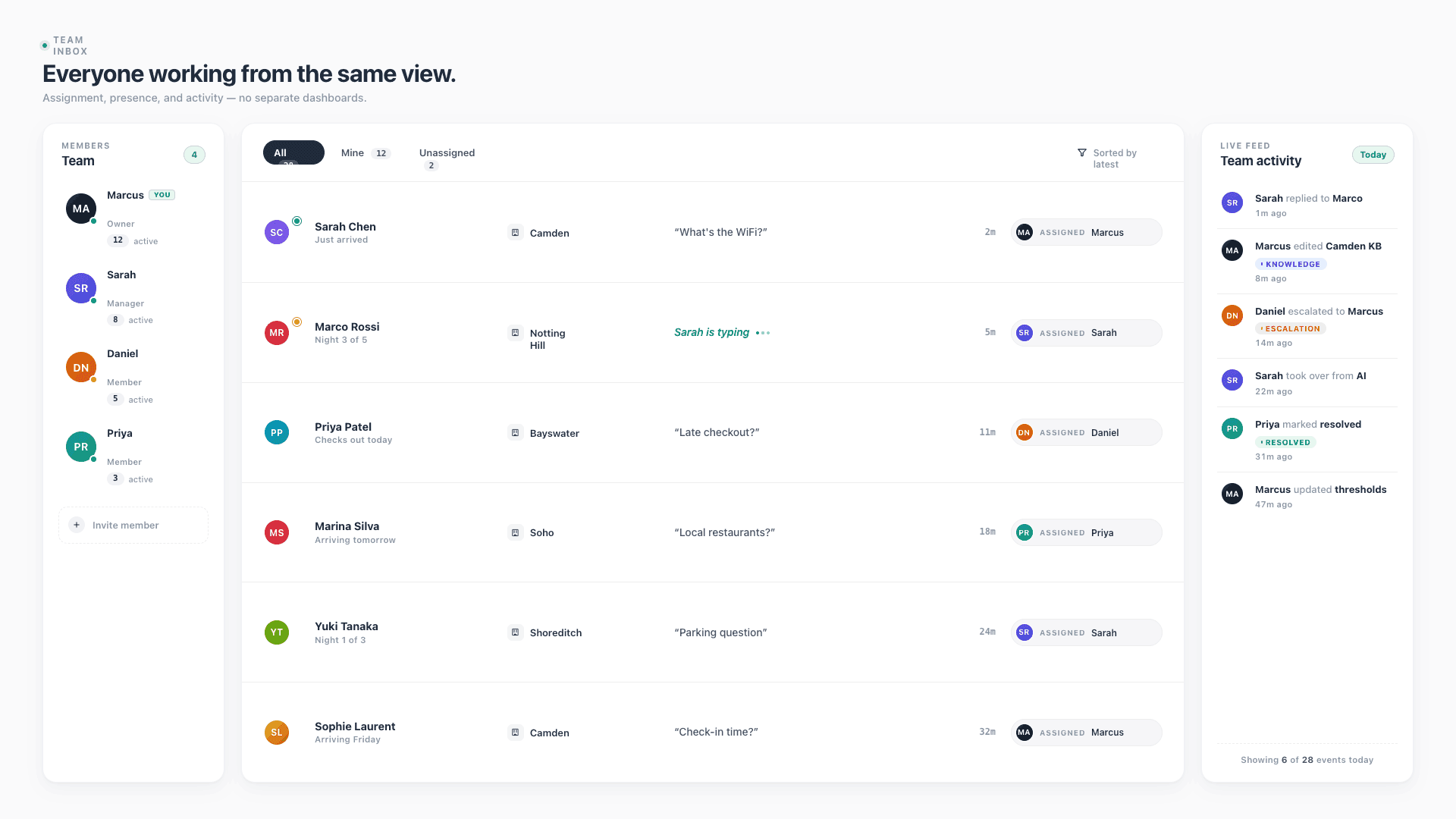
Shared Across The Team
Every team member sees the same inbox. No more lost messages, conflicting replies, or guests getting different answers from different people.
Conversation Assignments
Assign specific conversations to specific team members. Clear ownership. Real accountability. No double-handling.
Real-Time Collaboration
See who's typing, who's reading, who's overriding the AI. Live presence indicators across every conversation.
Connects natively to the PMS systems your business already uses.










Built For Teams
Stop juggling WhatsApp groups and shared Gmail inboxes.
Three layers working together: shared inbox across every property, clear conversation ownership, and real-time collaboration features that keep everyone aligned.
Shared Inbox
Every conversation. Every property. One workspace.
Most management companies handle guest messaging through a chaotic mix of WhatsApp groups, shared Gmail inboxes, PMS native messaging, and Slack threads. Different team members see different things. Conversations get dropped. Guests get conflicting answers. StayReply consolidates everything into a single team workspace where every conversation is visible, every reply is logged, and every team member sees the same source of truth.
Every Property In One Place
From 1 property to 250+, every guest conversation lives in one inbox. Filter by property, by status, by category, by team member — but never lose visibility into the full picture.
Conversation History
Full history of every guest interaction across every stay. New team members onboard by reading past conversations. Repeat guests get continuity from the first message.
Search & Filter
Find any conversation by guest name, property, date range, message content, or category. Full-text search across years of guest history.
Conversation Assignments
Clear ownership. No double-handling.
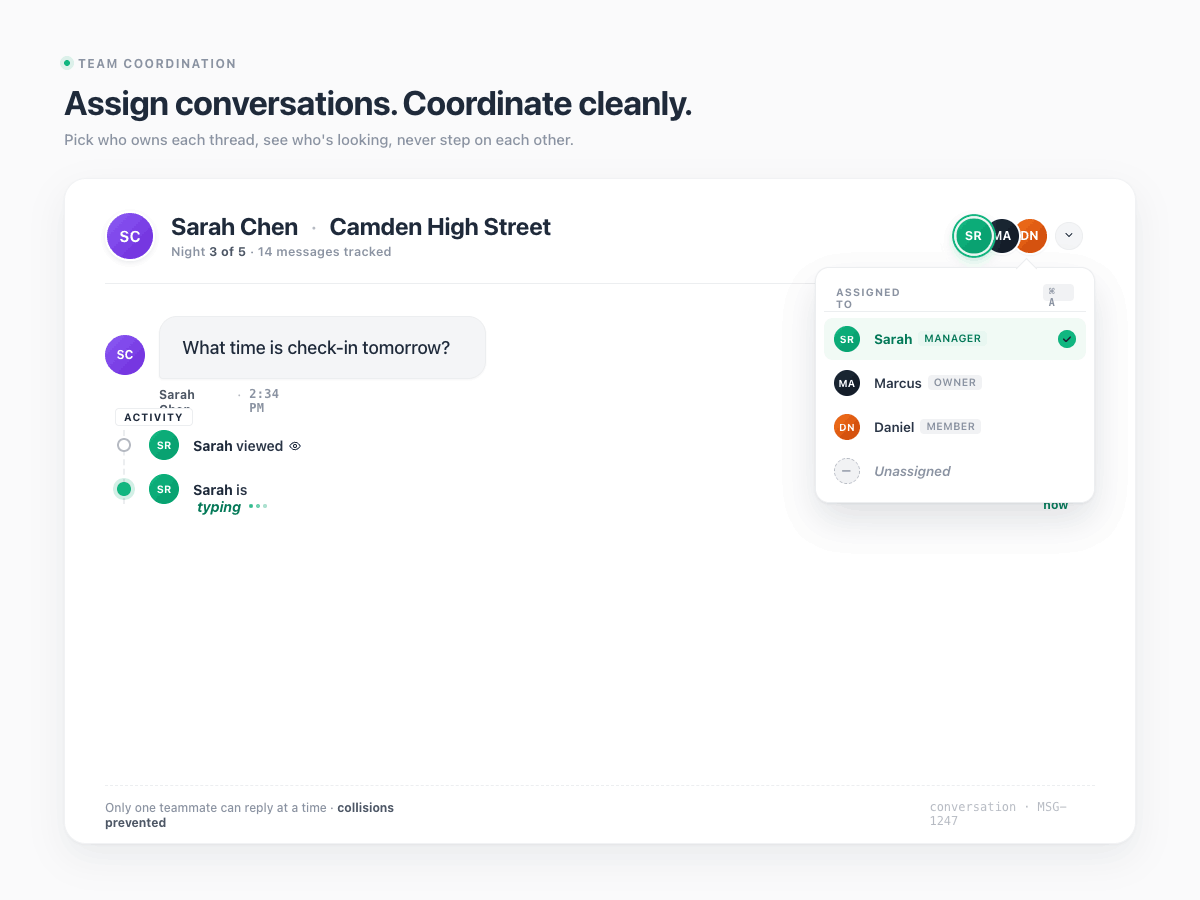
When a conversation needs a human, who owns it? Without explicit assignment, the answer is "whoever sees it first" — which means duplicate replies, missed escalations, and team members stepping on each other. StayReply assigns ownership explicitly. Conversations route to specific team members based on rules you configure, or get assigned manually with one click.
Auto-assignment rules by property, category, or guest type
Manual reassignment with one click and full handoff context
Workload visibility across the team — no one buried under escalations alone
Real-Time Collaboration
See who's doing what, as they do it.
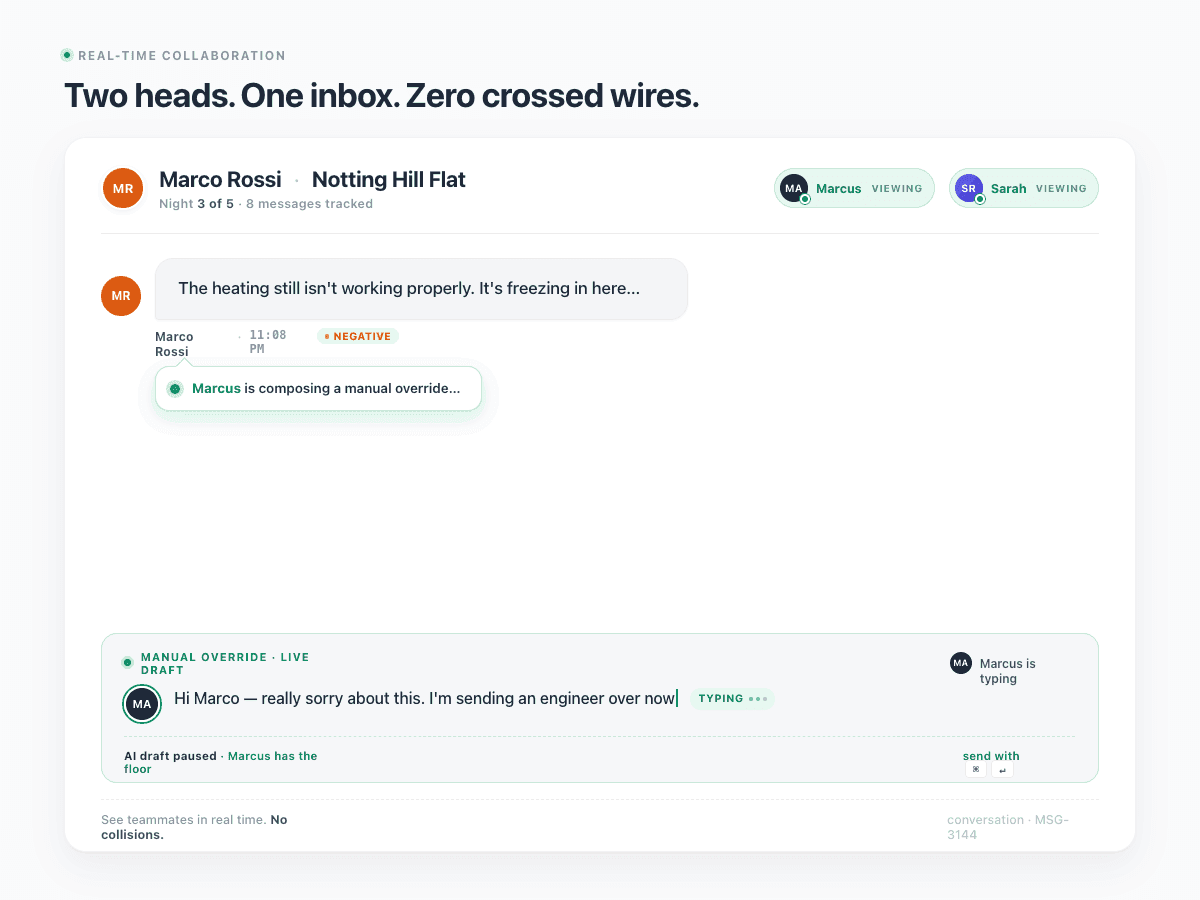
A shared inbox without presence indicators is a recipe for collisions — two people replying to the same message at the same time, or both assuming the other is handling it. StayReply shows live presence on every conversation: who's viewing, who's typing, who's about to send a manual override. Real-time, instant, visible to everyone.
Live Presence Indicators
See in real time which team member is viewing or typing in any conversation. Prevents duplicate replies and signals when someone's already handling an escalation.
Activity Feed
Team-wide activity log showing every reply sent, escalation handled, knowledge base edit, and assignment change. Daily summary email for managers.
FAQ
Questions about the team inbox.
Learn how shared inboxes, assignments, and collaboration work for management teams.
How many team members can use StayReply?
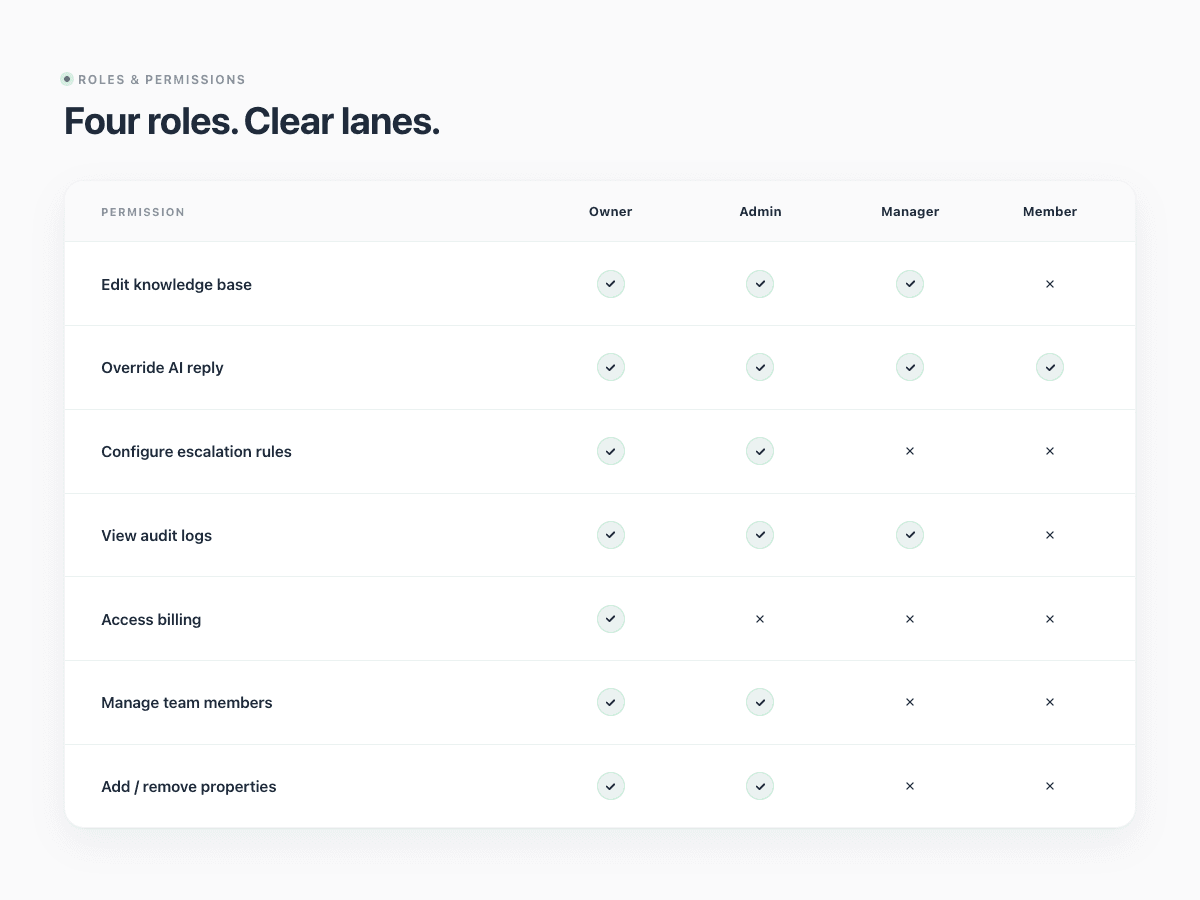
Can team members have different permission levels?
How do conversation assignments work?
What happens when a team member is offline?
Ready to stop being your own guest support line?
Start a free trial or talk to our team.