Smart Lock Integration
Resolve guest lockouts automatically — in under 30 seconds, at 2am, while you sleep.
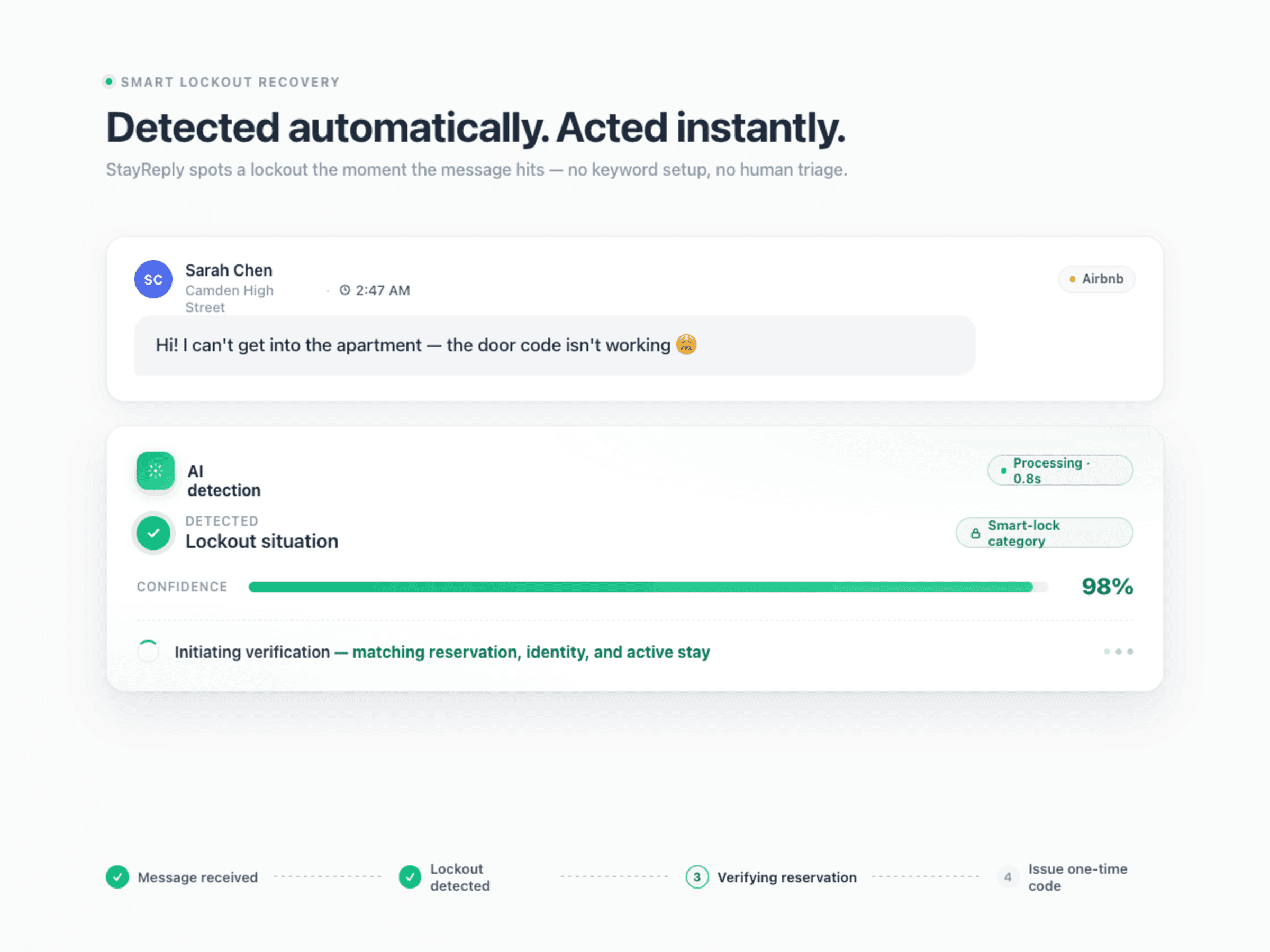
When a guest messages saying they can't get in, StayReply detects the situation, verifies the guest, generates a temporary access code from your connected smart lock, and delivers it via SMS. All in under 30 seconds. No phone calls. No groggy 2am scrambling.
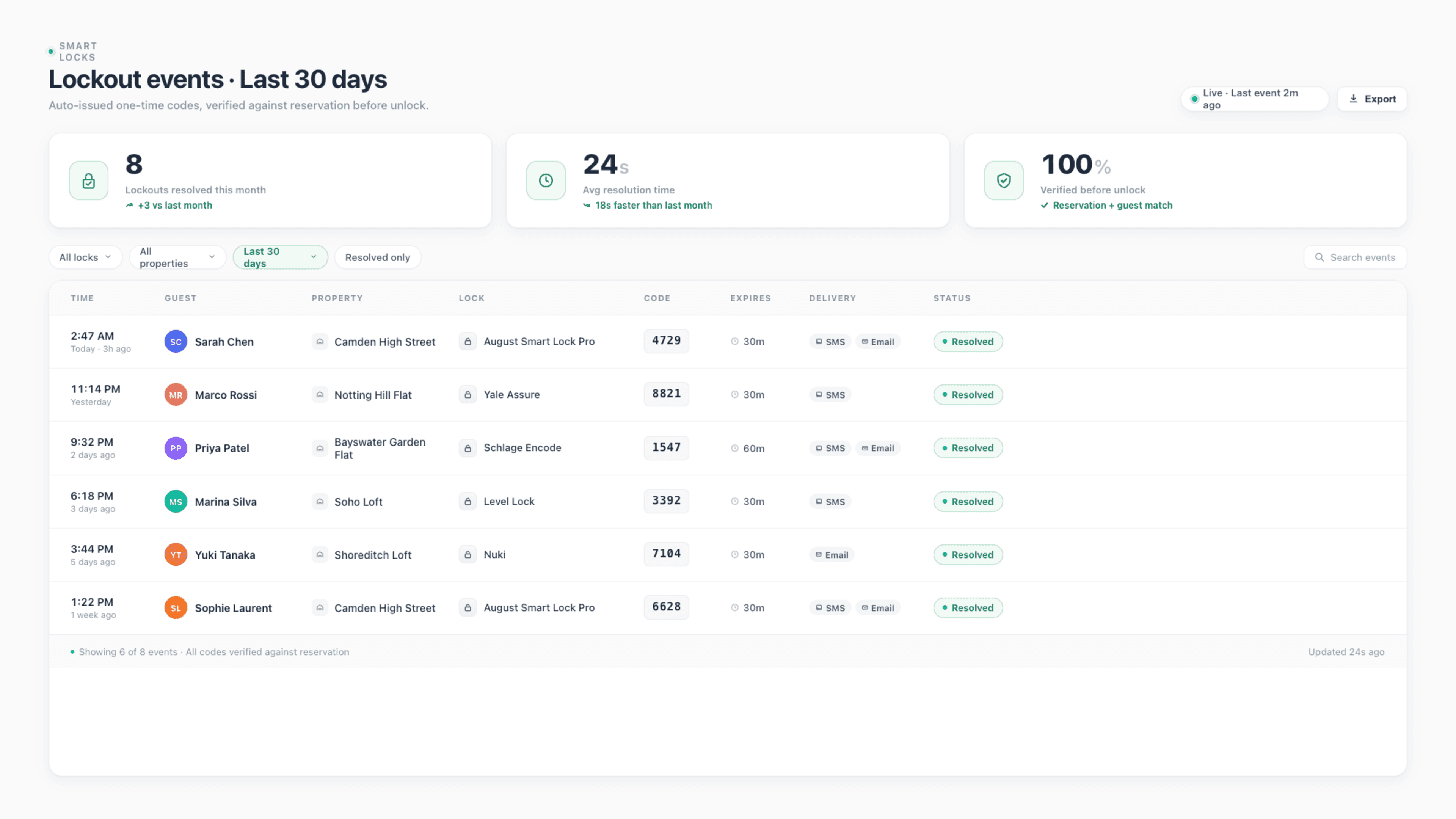
Auto-Detect Lockouts
StayReply identifies lockout situations in guest messages instantly — across languages, indirect phrasings, and emotional context.
Verify Before Generating
Multi-factor verification (booking match, phone number, guest confirmation) before any code is generated. No security shortcuts.
Deliver In Under 30 Seconds
From "I can't get in" to working access code delivered via SMS — under 30 seconds. Audit-trail-logged. Lock-brand-agnostic.
Connects natively to the PMS systems your business already uses.









Your 2am Lockout Problem, Solved
No competitor offers this. We built it because we needed it.
Three layers working together: lockout detection in messages, multi-factor guest verification, and instant code generation and delivery to the verified guest.
Lockout Detection
Recognises a lockout, even when the guest doesn't say "lockout."
Guests don't always describe a lockout clearly. "The code isn't working." "I can't get the door to open." "I've tried three times." "Help — I'm stuck outside." Across languages, with emotional context, in the middle of the night. StayReply's classification engine catches all of these — including indirect phrasings — and triggers the lockout resolution flow before the guest gets frustrated enough to leave a bad review.
Across Languages
Lockout detection works across all 12+ supported languages. A guest messaging "Je n'arrive pas à entrer" in French triggers the same flow as "Can't get in" in English.
Indirect Phrasings
"The keypad won't work." "The door's stuck." "I think the code expired." All recognised as lockout situations and routed accordingly.
Time-Sensitive Priority
Lockout messages bypass normal queues. They escalate visibility immediately — and trigger the resolution flow within seconds of arriving.
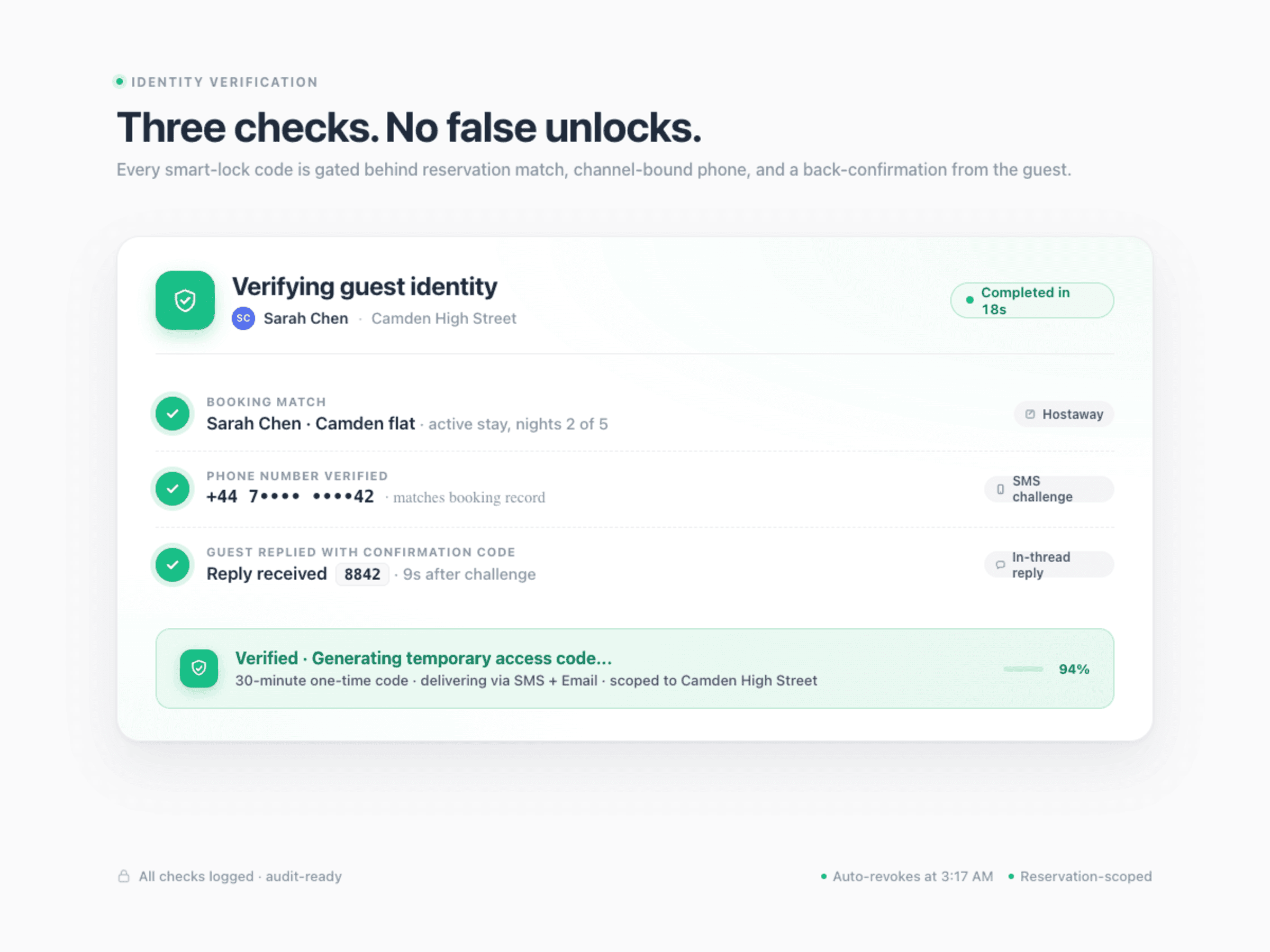
Multi-Factor Verification
Confirms it's actually your guest. Before any code is generated.
Auto-generating access codes without verification is a security disaster waiting to happen. StayReply verifies every lockout before generating a code — through multiple independent signals. The booking has to be active. The phone number has to match. The guest may need to confirm via a one-time challenge. Only verified guests get codes. Every attempt is logged.
Booking verification: active reservation, matching property, current stay window
Phone verification: number matches the booking phone number in your PMS
Optional guest challenge: SMS confirmation code for high-security properties
Code Generation & Delivery
Temporary code, generated and delivered in seconds.
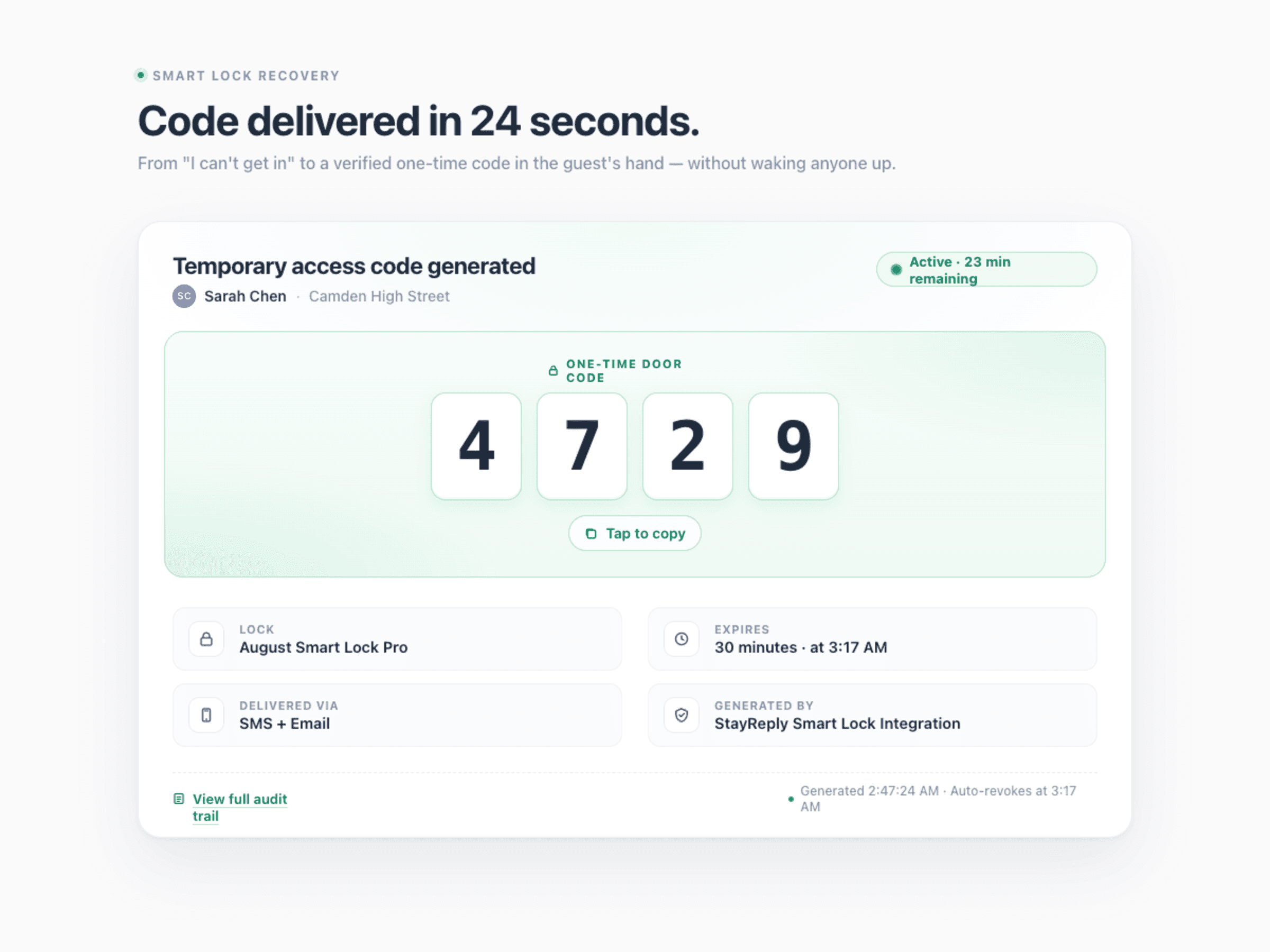
Once verified, StayReply generates a temporary access code from your connected smart lock — valid for 30 minutes by default, configurable. The code is delivered to the verified guest's phone via SMS instantly. The lock event is logged with full audit trail: who got the code, when, for how long, expiry, usage. You get a notification confirming it happened.
Configurable Code Expiry
Default 30 minutes. Configurable per property — 10 minutes for high-security, 60 minutes for properties where guests sometimes need more time after re-entry.
Full Audit Trail
Every code generation logged: who, when, which lock, expiry, whether the code was used. Compliance-friendly for management companies handling owner properties.
FAQ
Questions about smart lock integration.
Learn which locks are supported, how verification works, and what happens if something goes wrong.
Which smart lock brands does StayReply support?
What if the AI gets a verification wrong?
What happens if there's no smart lock at the property?
Is this secure?
Ready to stop being your own guest support line?
Start a free trial or talk to our team.