Mobile & PWA Access
Manage every guest message from your phone — without an App Store install.
StayReply works as a Progressive Web App. Install it from your browser, use it like a native app. Full inbox, escalation alerts, knowledge base editing, audit logs — all on mobile, with push notifications.
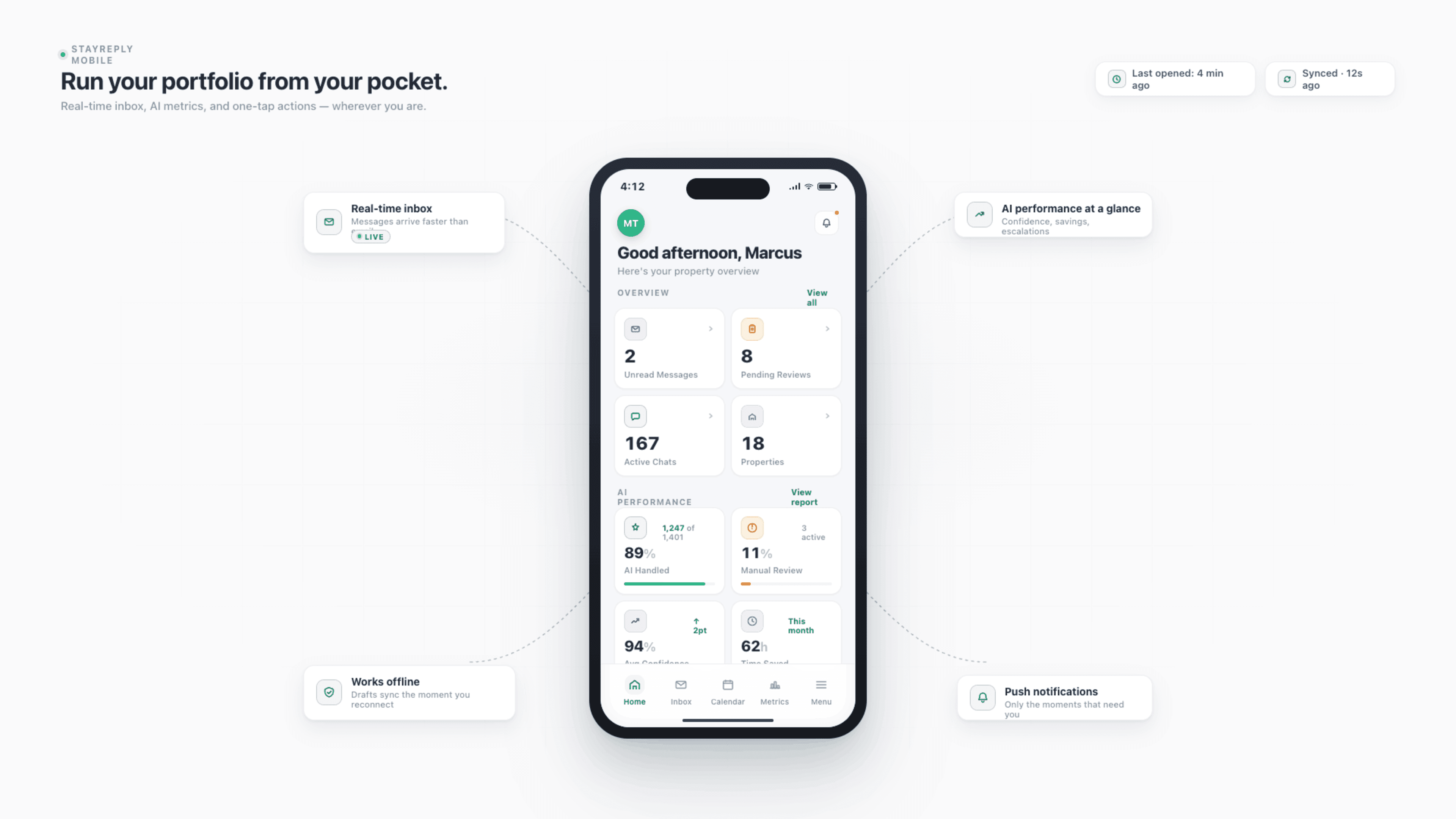
Install Like A Native App
Add to home screen from your browser. No App Store, no Play Store, no waiting for updates. Always the latest version.
Push Notifications
Real push notifications for escalations, alerts, and team mentions — even when the app isn't open. Critical alerts bypass do-not-disturb.
Full Functionality On Mobile
Inbox, knowledge base editing, audit logs, settings, team management — everything available on mobile, not just a stripped-down view.
Connects natively to the PMS systems your business already uses.










Built For Operators On The Move
Run your portfolio from anywhere — without compromising on functionality.
Three layers working together: PWA installation without app stores, real push notifications for time-sensitive alerts, and full feature parity with desktop on mobile.
Install Like A Native App
Browser to home screen in three taps.
Most "mobile apps" are native iOS or Android apps — which means App Store reviews, slow update cycles, install friction, and engineering overhead. StayReply is a Progressive Web App (PWA). You install it from your browser in three taps, and it sits on your home screen like any other app. Same icon. Same launch behaviour. Same feel. Without the App Store gatekeeping or delayed updates.
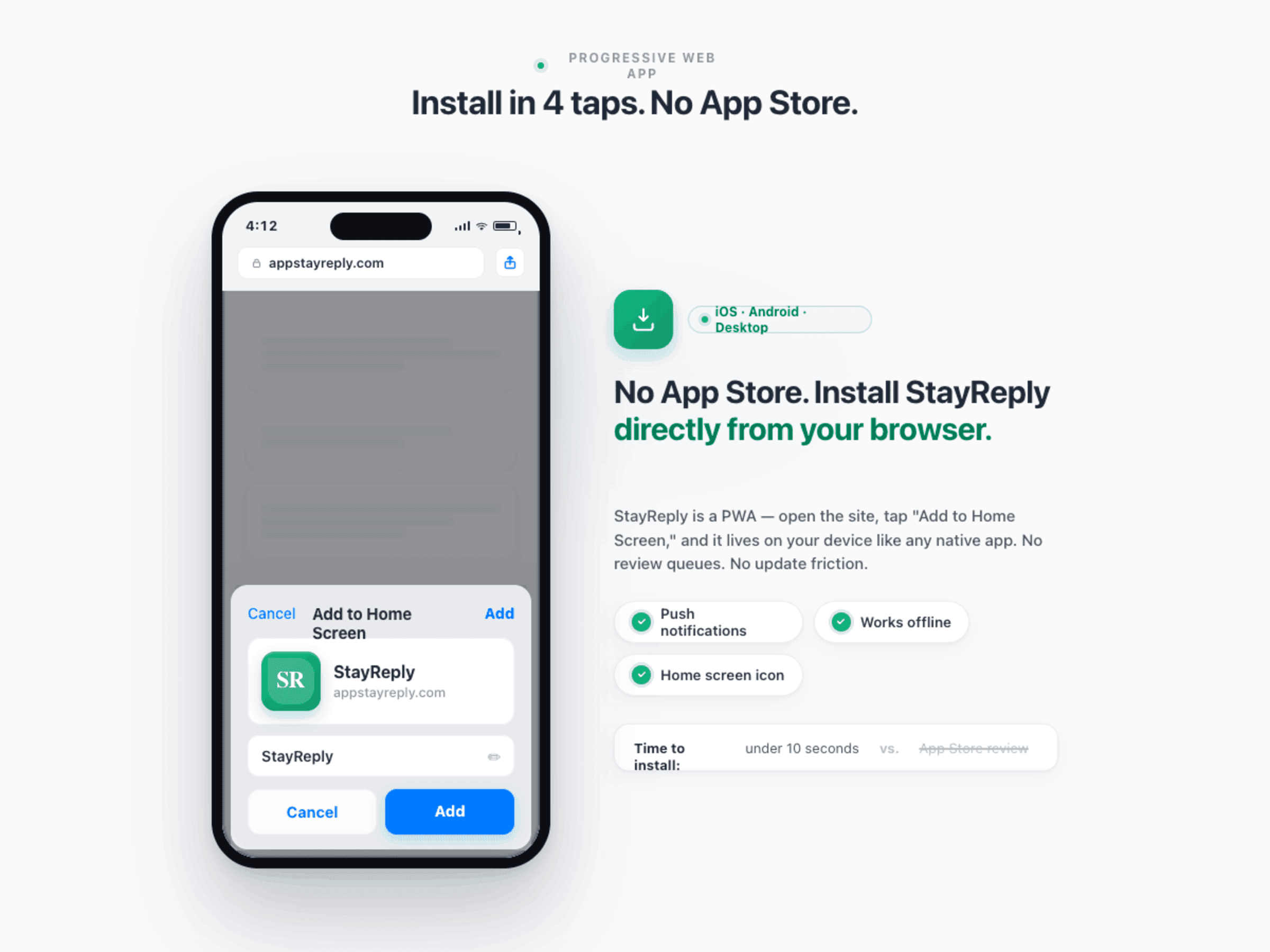
No App Store Required
Skip the App Store and Play Store entirely. Install StayReply directly from your browser — works on iOS, Android, and desktop.
Always Latest Version
PWAs update automatically. No "update available" prompts. No version drift across your team. Every team member is always on the same version.
Works Offline
Recent conversations, knowledge base entries, and core UI cached locally. Read, search, and review while offline. Replies queue and send when connection returns.
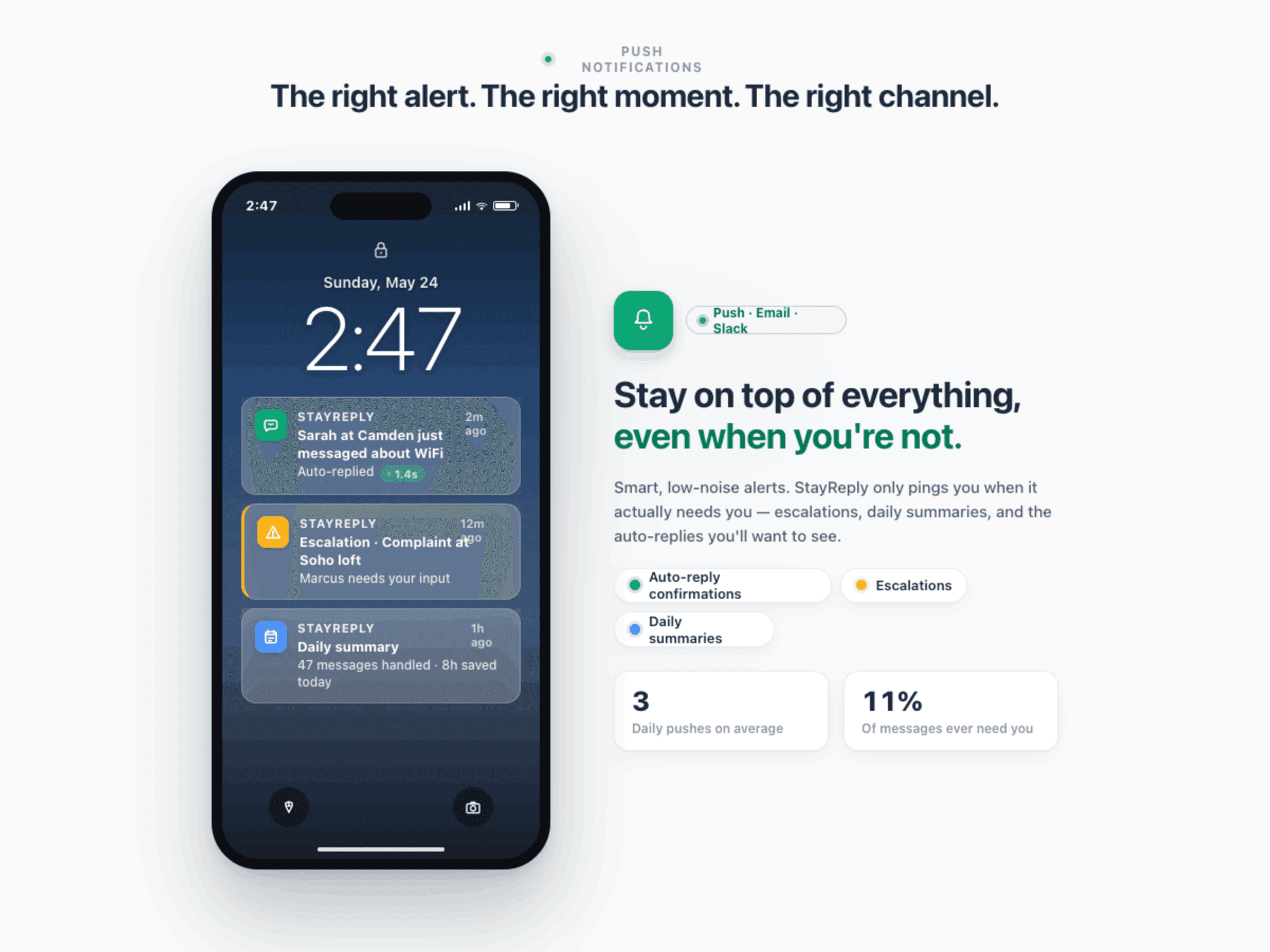
Push Notifications
Real-time alerts on your phone — even when the app isn't open.
A mobile app without push notifications is a website on a phone. StayReply sends real push notifications for every event that matters — escalations, complaints, smart lock activity, team mentions, daily summaries. You configure which alerts notify you on mobile, which go to email, which trigger Slack. Critical escalations bypass do-not-disturb settings on iOS and Android.
Real push notifications via web push protocol (not in-app polling)
Per-category alert configuration — escalations push, summaries email
Critical escalations bypass do-not-disturb for true emergencies
Full Functionality On Mobile
Not a stripped-down view. Every feature, on every screen.
Most SaaS mobile apps are read-only views with a few light actions. StayReply gives you the full product on mobile — inbox, knowledge base editing, settings configuration, audit log review, team management, analytics. If you can do it on desktop, you can do it on mobile. Same screens, optimised layout, no compromise.
Every Screen Available
Full inbox management, knowledge base editing, settings, audit logs, analytics, team management — all on mobile, all responsive, all real-time-synced with desktop.
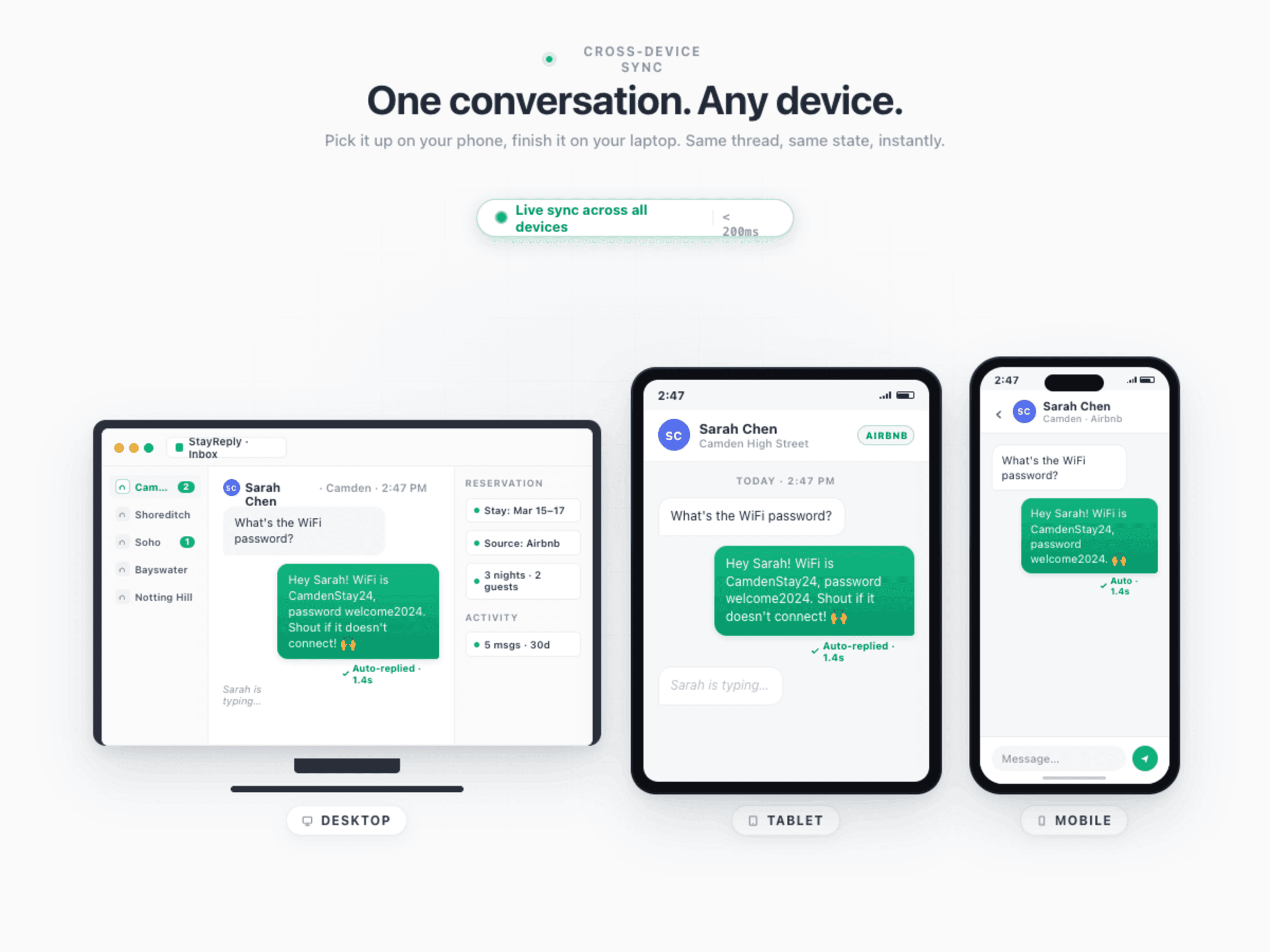
Real-Time Sync Across Devices
Start a reply on mobile, finish on desktop. Edit the knowledge base on your phone, see the change reflected on your laptop instantly. One workspace, every device.
FAQ
Questions about mobile access.
Learn how PWAs work, what's different from native apps, and how installation goes.
How is a PWA different from a native iOS or Android app?
How do I install StayReply on iOS?
How do I install StayReply on Android?
Will there ever be a native iOS or Android app?
Ready to stop being your own guest support line?
Start a free trial or talk to our team.