PMS Integrations
Native two-way sync with the PMS your business already runs on.
StayReply integrates with 10+ PMS systems including Hostaway, Guesty, Hospitable, Lodgify, and more. Reservation data, guest details, and listing info flow into StayReply automatically — keeping every reply accurate to the booking.
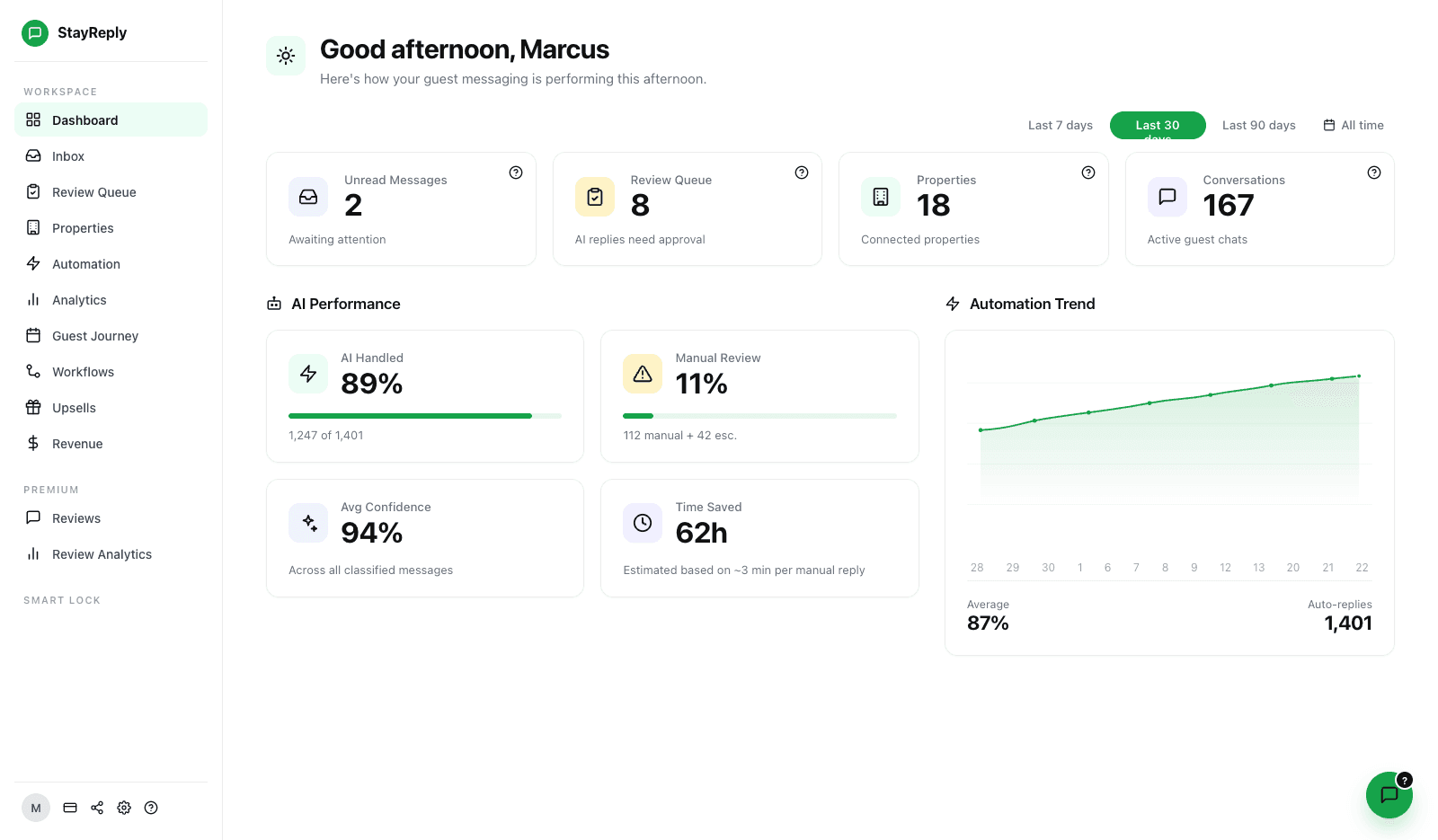
10+ Native Integrations
Real two-way sync with Hostaway, Guesty, Hospitable, Lodgify, OwnerRez, Streamline, Track, Cloudbeds, Mews, Smoobu, and more.
Reservation-Aware Replies
Every reply is grounded in the live booking — right guest, right property, right dates. No more "Welcome to the wrong listing."
Setup In Minutes
Most operators connect their PMS in under 4 minutes. Authenticate, select properties, and StayReply auto-builds the knowledge base from your existing data.
Connects natively to the PMS systems your business already uses.










Built To Slot Into Your Existing Stack
Connects to the PMS you're already running. Not a replacement.
Three layers working together: native two-way sync with 10+ PMS systems, reservation context flowing into every reply, and a setup process that takes minutes — not weeks.
Native Two-Way Sync
Real sync. Not Zapier hacks.
Most "AI guest messaging" tools rely on third-party connectors (Zapier, Make, custom webhooks) to talk to your PMS — which means flaky data, missed messages, and weird edge cases when an integration breaks. StayReply integrates natively with every supported PMS, with two-way real-time sync. Listings flow in. Reservations flow in. Messages flow both directions. Authentication via OAuth or API key. Set up once. Runs reliably.
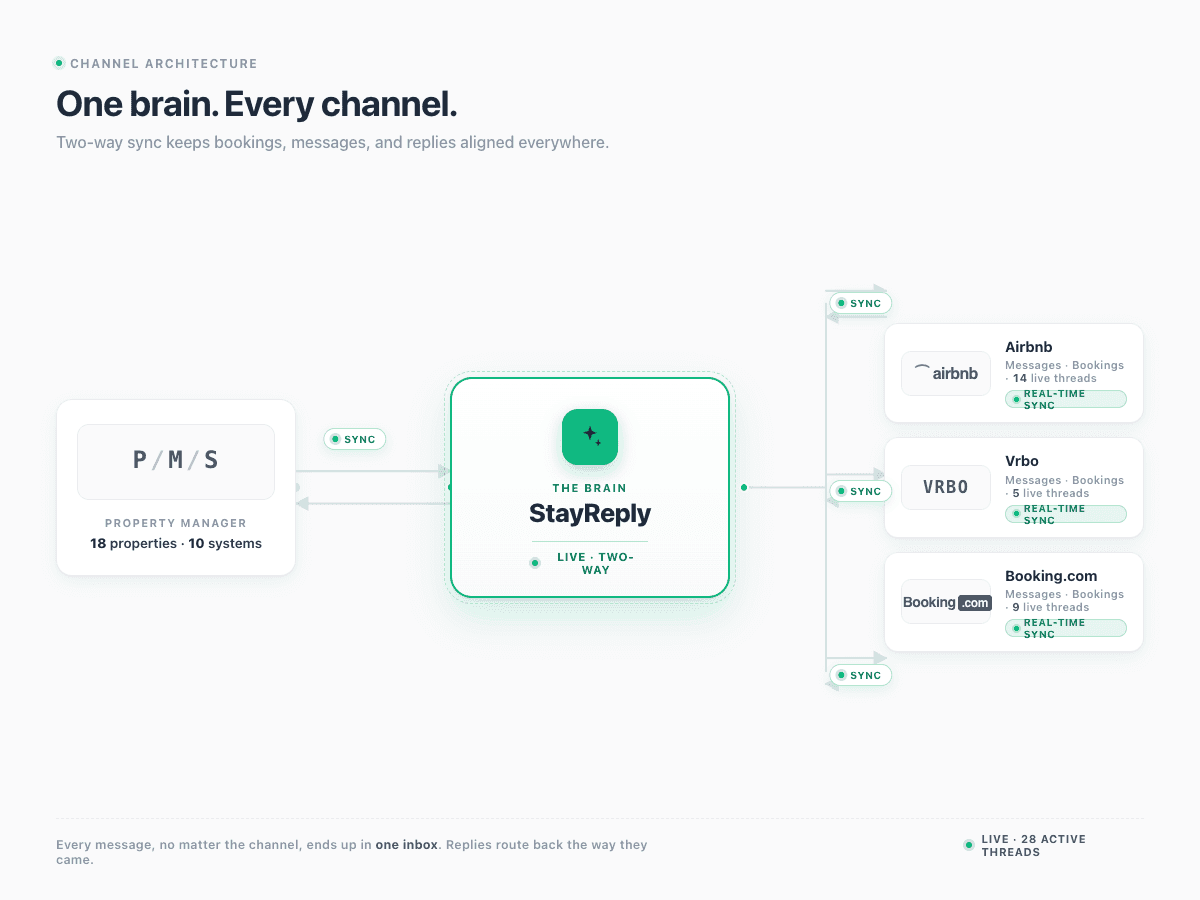
Real-Time Sync
New reservations, guest details, and listing changes flow into StayReply within seconds. No batch processing, no daily syncs, no delays.
Two-Way Messaging
Replies sent through StayReply appear in your PMS inbox automatically. Replies sent from your PMS sync back into StayReply. One conversation, two systems.
Reliable Authentication
OAuth for PMS systems that support it. Encrypted API keys for those that don't. Credentials never visible in plain text — even to Claude support.
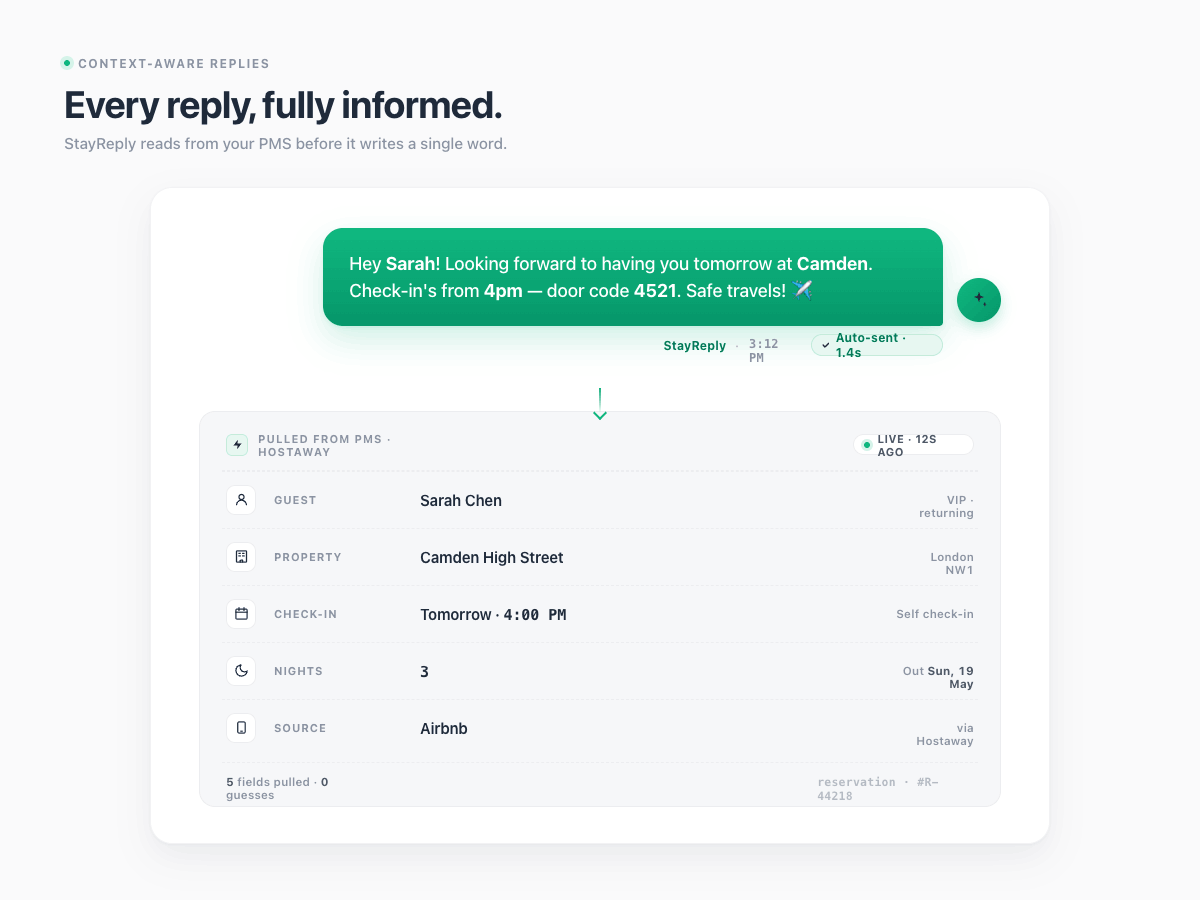
Reservation-Aware Replies
Every reply grounded in the live booking.
The single most common AI guest messaging failure is replying with the wrong booking context. "Enjoy the view from your Soho terrace" — but the guest is at the Camden flat. "Check-in is at 4pm" — but this guest booked early check-in. StayReply prevents this by pulling reservation data into every reply: the right property, the right dates, the right guest name, the right booking source.
Guest name, check-in/checkout dates, and property pulled from the live PMS booking
Booking source visible per reply (Airbnb, Vrbo, direct, etc.) for channel-aware messaging
Reservation changes (early check-in, late checkout, extra nights) reflected immediately
Setup In Minutes
Connected, knowledge base built, auto-reply firing — in under 4 minutes.
Enterprise software setup usually means weeks. Sometimes months. StayReply integration is designed for operators, not IT departments. Authenticate with your PMS via OAuth. Pick which properties to connect. StayReply auto-builds the knowledge base from your existing listing data and past messages. Review the auto-extracted entries. Approve. Your first auto-reply fires before you've finished your coffee.
4-Minute Average Setup
From signup to first auto-reply, the average StayReply customer takes 3 minutes 42 seconds. The longest part is choosing which properties to connect.
Zero IT Required
No engineering tickets. No API keys to generate (StayReply handles it). No webhook configuration. If you can log into your PMS, you can connect StayReply.
FAQ
Questions about PMS integrations.
Learn which PMS systems are supported, how the sync works, and how to set up integrations.
Which PMS systems does StayReply integrate with?
What if my PMS isn't on the list?
How long does setup take?
What happens if my PMS has an outage?
Ready to stop being your own guest support line?
Start a free trial or talk to our team.