Property-Specific Configuration
Every listing, its own setup — without managing 18 separate accounts.
Each property gets its own knowledge base, escalation rules, confidence thresholds, trigger settings, and tone profile. Configure once per property. Scale from 1 listing to 250+ without losing control of any individual one.
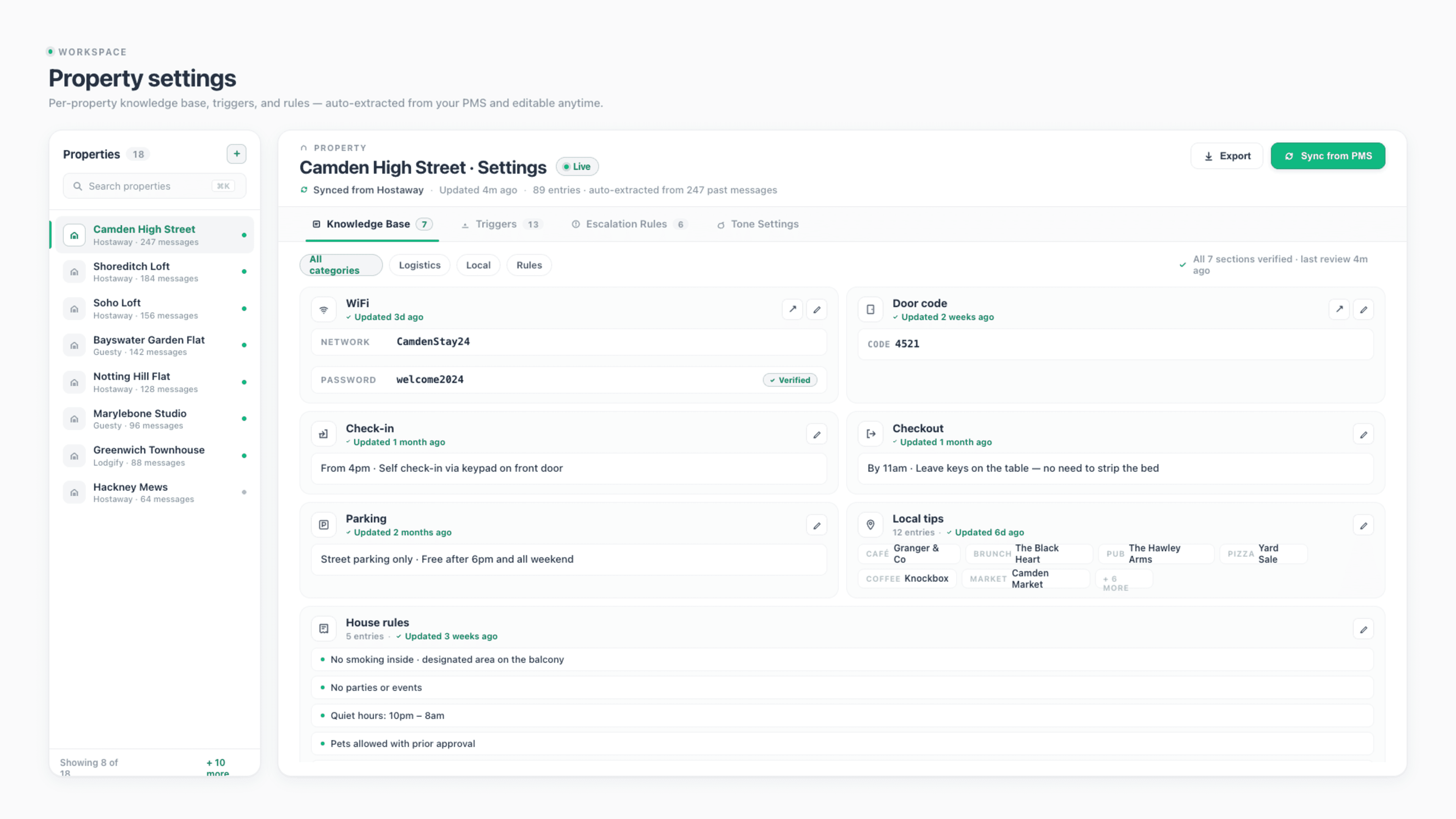
Independent Knowledge Bases
Each listing's WiFi, door codes, parking, and house rules stored separately. No cross-contamination between properties.
Different Rules Per Property
Confidence thresholds, escalation rules, trigger configurations — all configurable independently. Luxury properties get tighter rules. Budget ones get looser.
Tone Variation Per Listing
Warm and informal for short-stay flats. Formal and concise for corporate housing. Same voice, different registers per property.
Connects natively to the PMS systems your business already uses.










Built To Scale Without Losing Detail
Manage 250 properties as carefully as 1.
Three layers working together: independent knowledge bases per listing, per-property rule customisation, and tone variation that matches each property's brand and guest type.
Independent Knowledge Bases
No shared templates. Each property is its own world.
The most common AI guest messaging failure is cross-contamination — sending one property's information to another property's guest. Generic AI tools treat your portfolio as one knowledge base, then guess which property the message is about. StayReply doesn't guess. Each property gets its own isolated knowledge base, populated from that specific property's listing data, past messages, and house manuals. Camden flat's WiFi password never appears in a Soho loft reply.
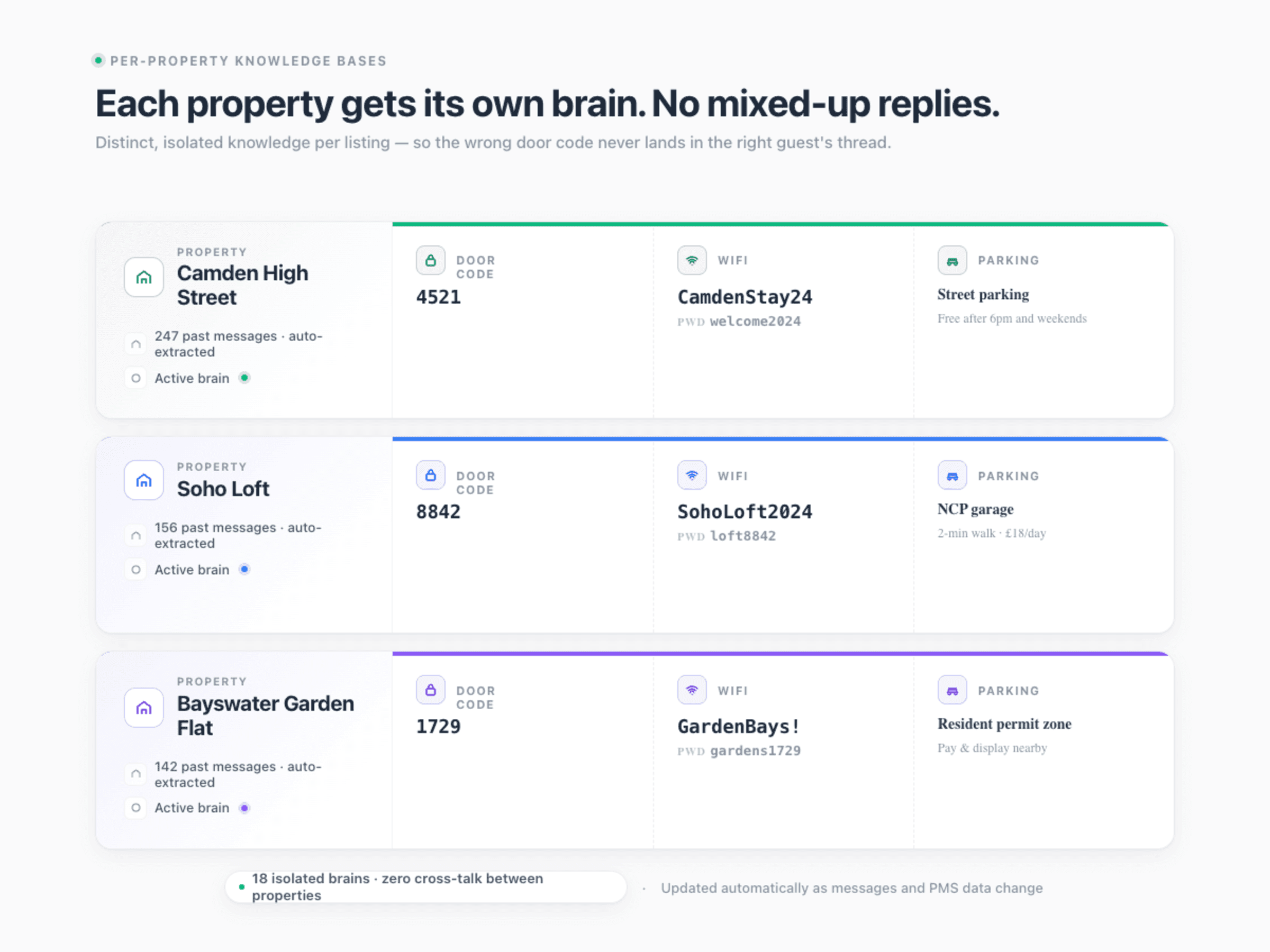
Property-Scoped Data
Door codes, WiFi passwords, parking notes, house rules — all stored per property. Updates to one property don't affect any other.
Reservation Routing
Every incoming message is matched to the right property based on PMS reservation data — not guessed from the message content.
Clean Onboarding
Add a new property: connect it via PMS, StayReply builds the knowledge base, you review and approve. The other properties remain untouched.
Different Rules Per Property
One size doesn't fit your portfolio.
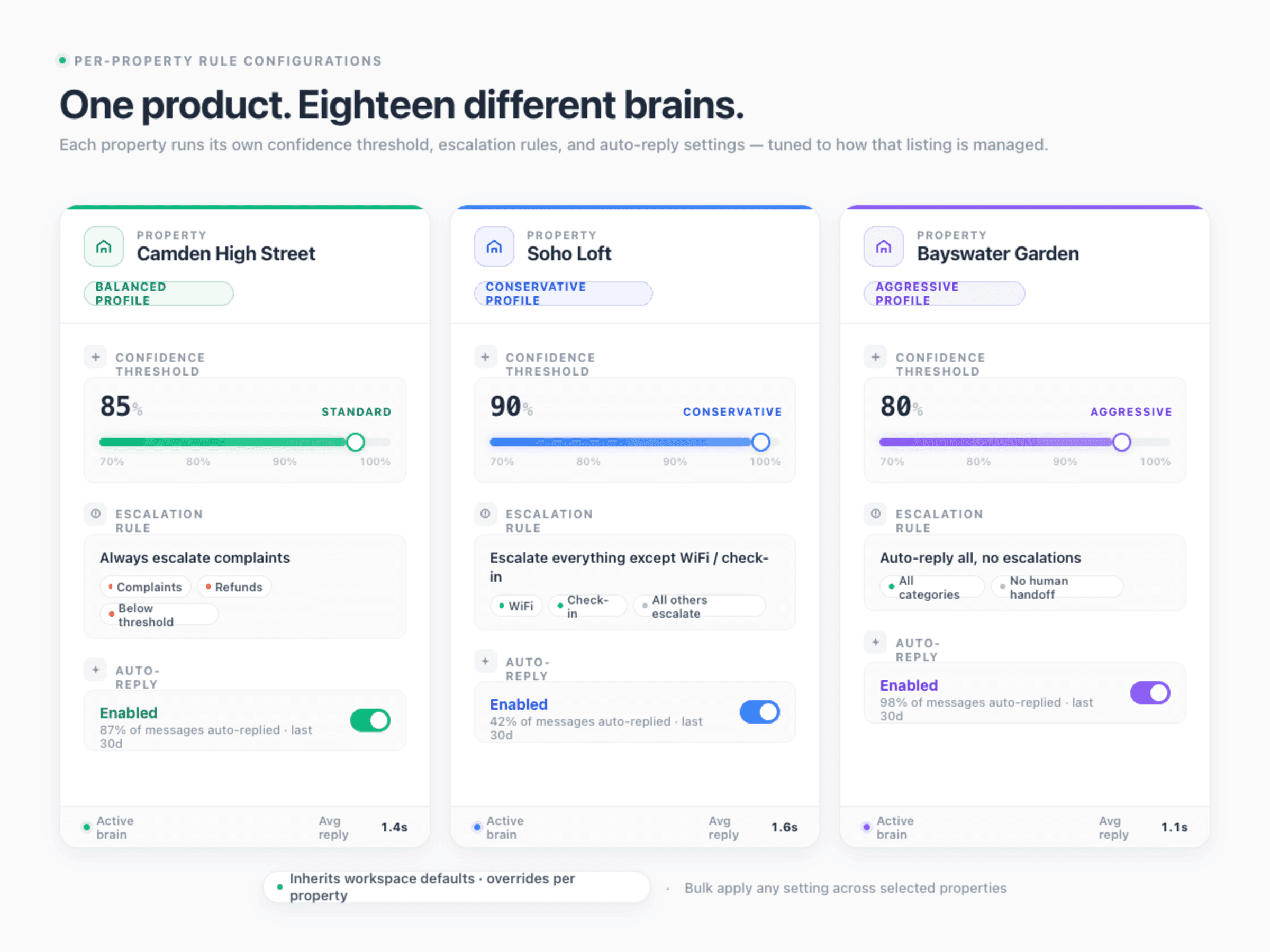
A high-end Soho loft and a budget Camberwell flat shouldn't have the same automation rules. The Soho property might need 90% confidence thresholds and aggressive escalation. The Camberwell one might run fine at 80% with most messages auto-replying. StayReply lets you customise every rule per property — without forcing you into spreadsheet-level configuration. Sensible defaults, easy overrides where they matter.
Confidence threshold per property — tighter for luxury, looser for simple listings
Escalation rules per property — more aggressive for high-value properties
Trigger configurations per property — different welcome messages, different timing
Tone Variation
Match each property's brand and guest type.
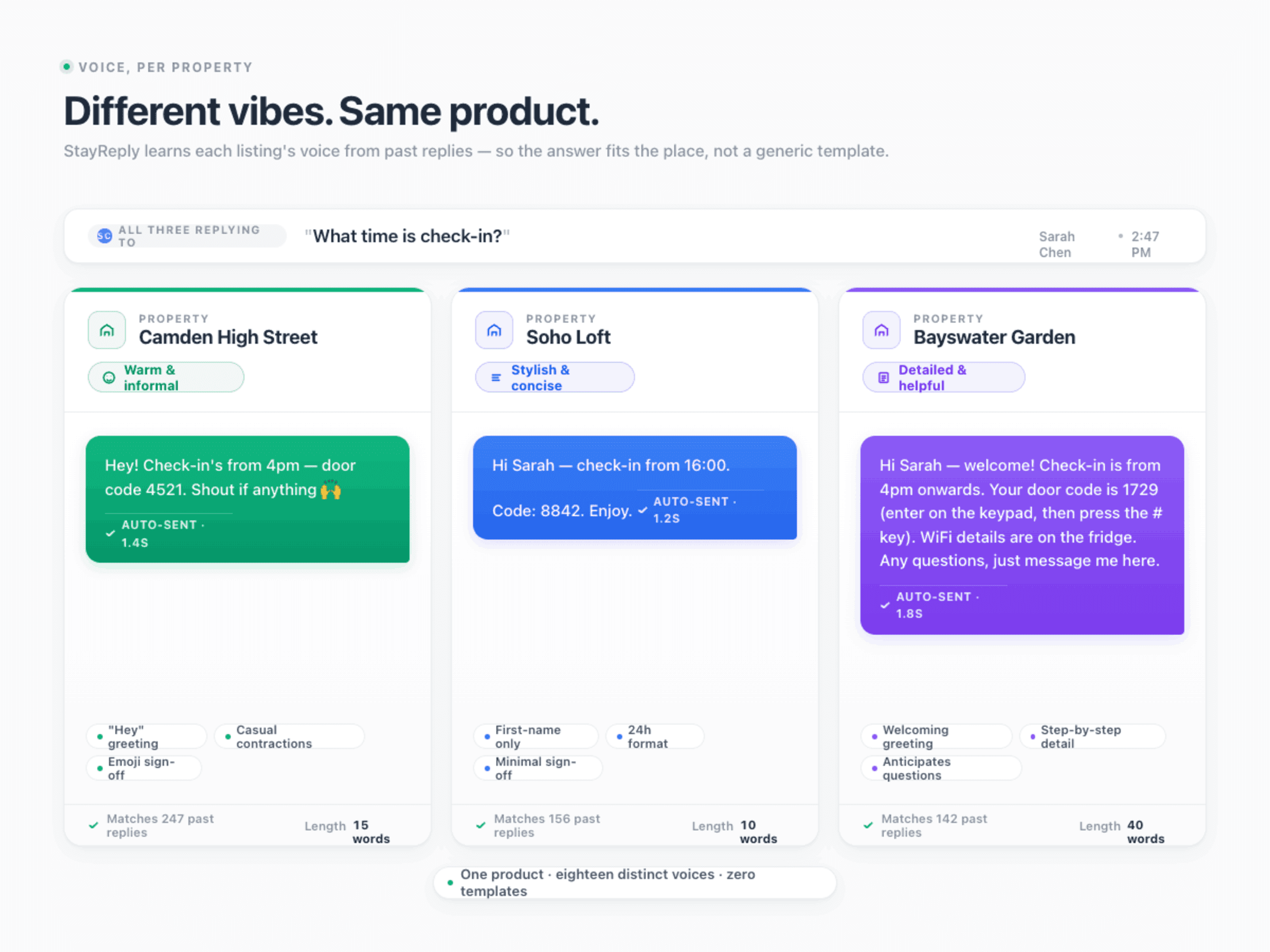
Guests at a £150/night casual Airbnb expect a different tone than guests at a £500/night boutique property. A corporate housing guest expects different communication than a holiday family. StayReply applies your voice consistently — but adjusts the register per property. Warm and informal here. Crisp and professional there. Same personality, different volume.
Per-Property Tone Profile
Configure tone settings (warmth, formality, message length) per property. Defaults pulled from past messages for that specific listing.
Bulk Edit Across Portfolios
For management companies handling multiple brands, configure tone settings at the brand level and apply to all properties under that brand in one action.
FAQ
Questions about property-specific configuration.
Learn how per-property settings work, how to bulk-configure, and what scales with portfolio size.
How do I configure rules for 50+ properties without spending days?
What happens when I add a new property?
Can I copy settings from one property to another?
Is there a limit on the number of properties?
Ready to stop being your own guest support line?
Start a free trial or talk to our team.