Guest Journey Automation
13 message triggers across the stay lifecycle. Set once. Runs forever.
From booking confirmation to post-checkout review request, StayReply automates 13 distinct touchpoints across every guest's stay. Welcome messages, check-in instructions, mid-stay check-ins, upsell offers, review requests — all triggered automatically, in your voice, at the right time.
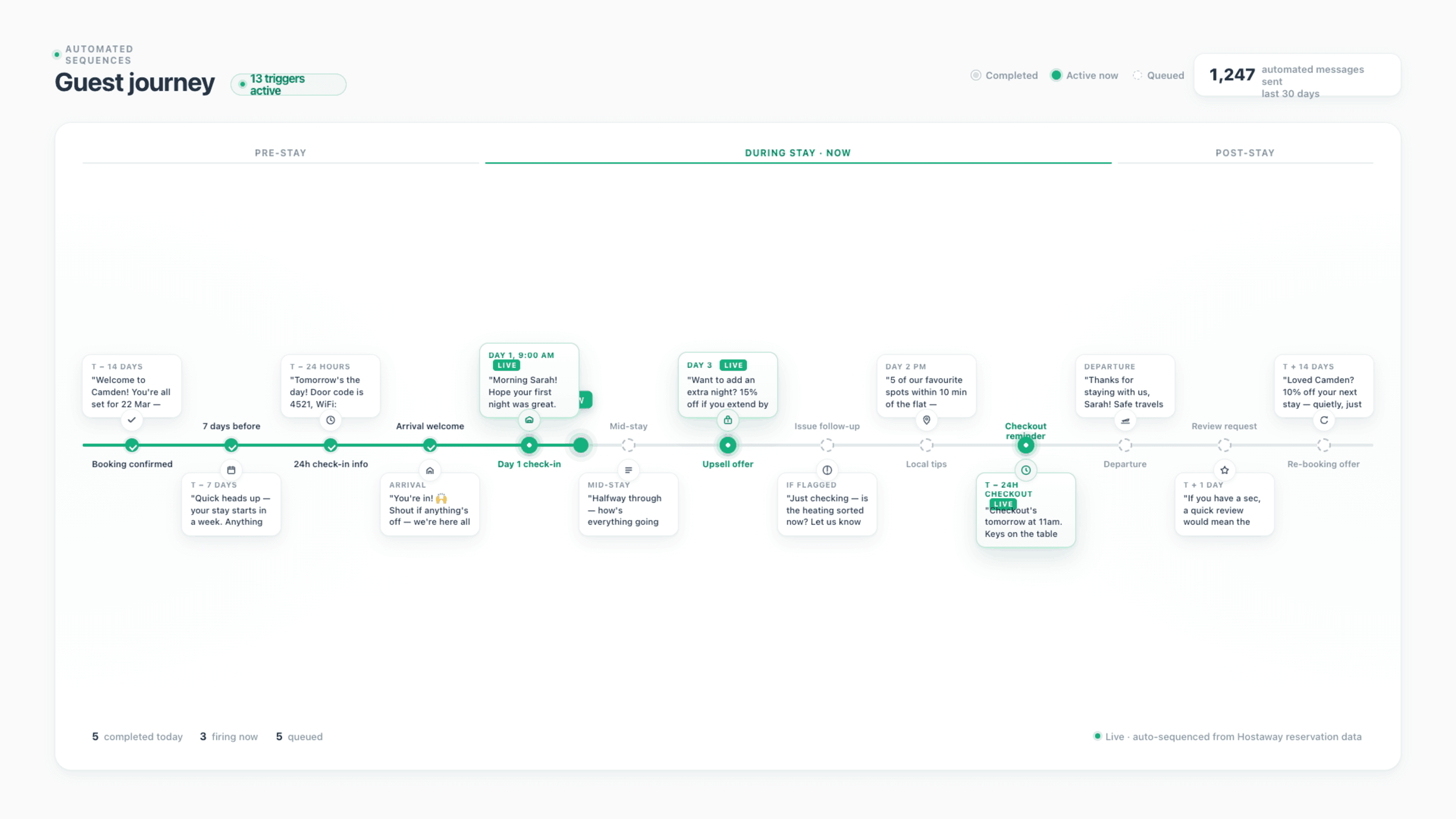
13 Trigger Types
Pre-arrival, during-stay, and post-stay messages — covering the full guest lifecycle. Each trigger configurable independently per property.
Conditional Logic
Triggers respect context. Review requests skip unhappy guests. Upsell offers only fire when calendars have room. No tone-deaf messaging.
Set Once, Runs Forever
Configure each trigger once per property. The system handles every guest, every stay, every touchpoint — without ongoing intervention.
Connects natively to the PMS systems your business already uses.










Built For Operators Who Want Hands-Off Automation
Every touchpoint, every guest, every stay. Without you doing it.
Three layers working together: 13 trigger types across the lifecycle, conditional logic that respects guest context, and per-property configuration that adapts to each listing's needs.
13 Trigger Types
Pre-arrival. During stay. Post-stay. Every meaningful touchpoint, covered.
Most operators want to send welcome messages, check-in details, mid-stay check-ins, checkout reminders, review requests. Few actually do consistently — it's manual work that scales badly. StayReply automates all 13 touchpoints across the guest lifecycle: from the moment a booking confirms to the post-checkout review request. Each trigger fires at the right time, in your voice, with the right content for that stage of the stay.
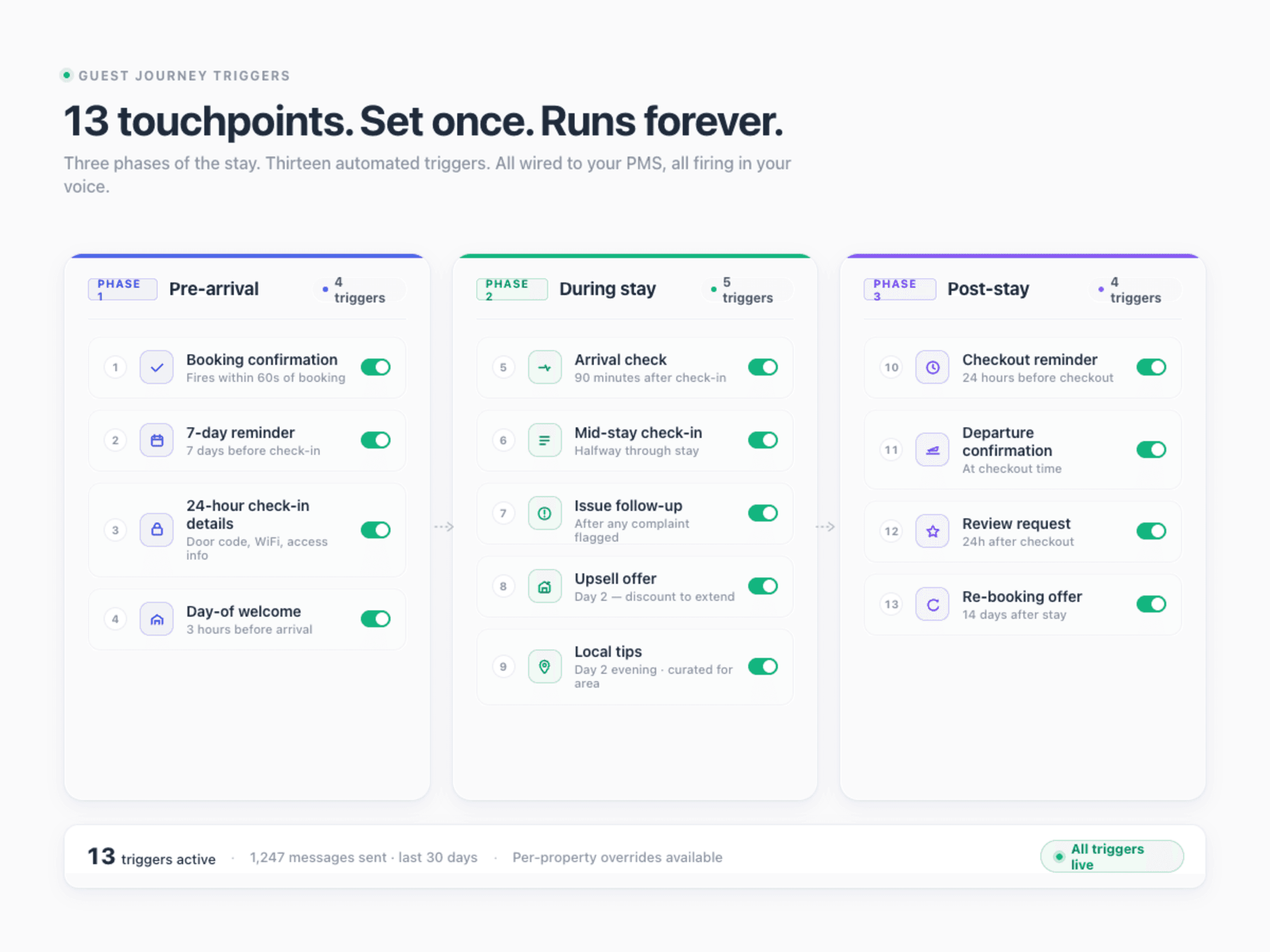
Pre-Arrival (4 Triggers)
Booking confirmation, 7-day reminder, 24-hour check-in details, day-of welcome message. Each timed to fire at the optimal moment relative to check-in.
During Stay (5 Triggers)
Arrival confirmation, mid-stay check-in, issue follow-up, upsell offers, local tips. Maintains presence without being intrusive.
Post-Stay (4 Triggers)
Checkout reminder, departure thank-you, review request, re-booking offer. Closes the loop and sets up the next stay.
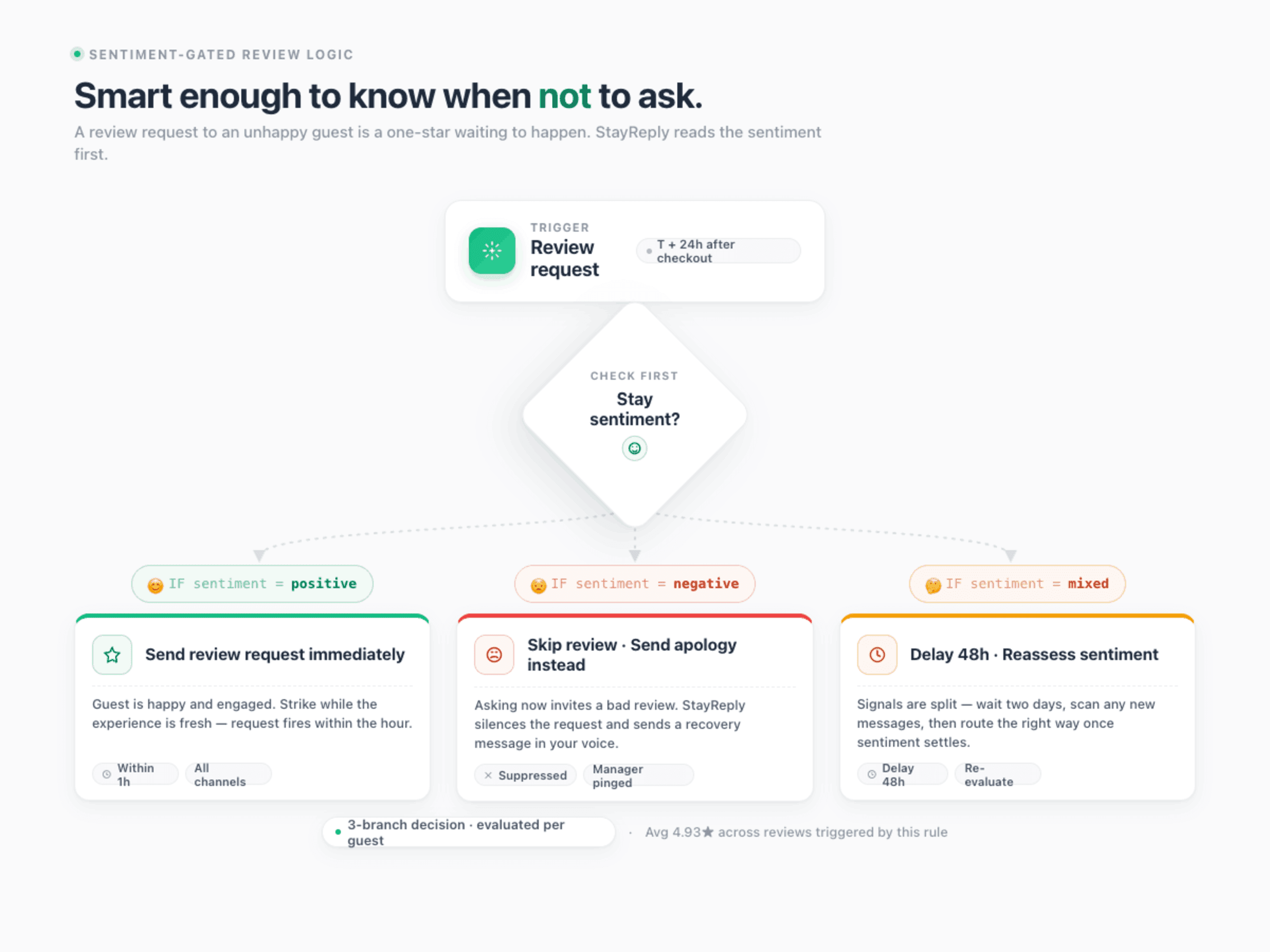
Conditional Logic
Triggers fire only when they make sense.
Sending a review request to a guest who's just complained is a fast way to get a 1-star review. Sending an upsell offer for early check-in on a sold-out day wastes everyone's time. StayReply's triggers respect context — they evaluate guest sentiment, calendar availability, and stay history before firing. The right message at the right time, or no message at all.
Sentiment-aware: review requests skip guests with negative sentiment trends
Calendar-aware: upsell offers only fire when properties actually have availability
History-aware: returning guests get different messaging than first-time stays
Per-Property Configuration
Same triggers. Different properties. Different settings.
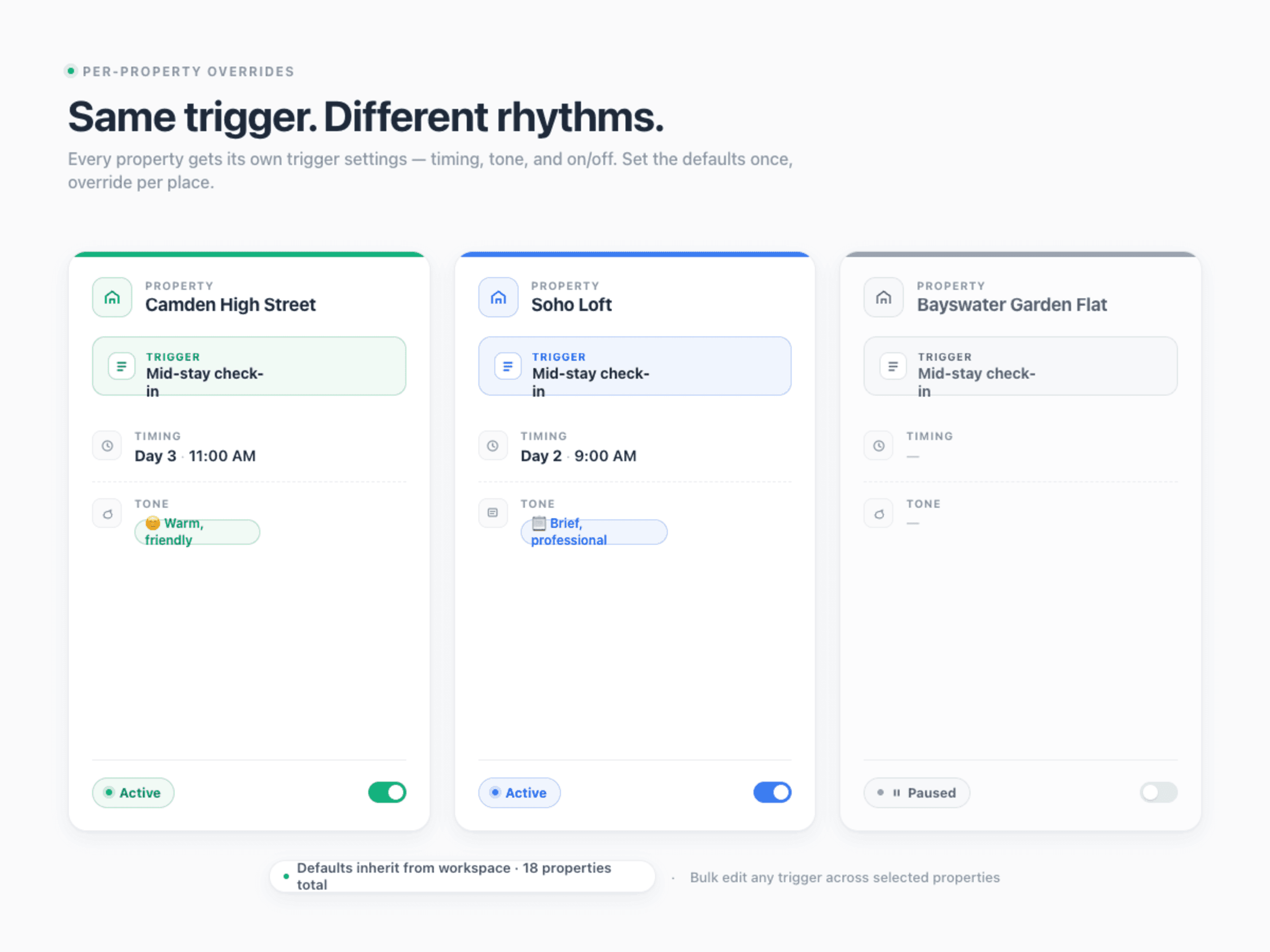
Your Camden flat might need a mid-stay check-in on day 3. Your Soho loft might be too short a stay for one. Your luxury Bayswater property might have a different upsell strategy than your budget Camberwell unit. StayReply lets you configure each of the 13 triggers independently per property — timing, content, conditions, on/off — so every listing gets the right messaging for its specific guest type.
Independent Per Property
Each property has its own trigger configuration — what fires, when, with what content. No shared templates. No cross-property compromises.
Global Or Granular
Set defaults globally for new properties, then override per-property where needed. Bulk-edit triggers across all properties for portfolio-wide changes.
FAQ
Questions about guest journey automation.
Learn how triggers work, what each one does, and how to configure them per property.
What are all 13 triggers?
Can I add my own custom triggers?
How does the system know which triggers to fire for which guests?
What if I want to pause all triggers for a property temporarily?
Ready to stop being your own guest support line?
Start a free trial or talk to our team.