Auto-Reply Engine
Reply to every guest message in seconds — in your voice, not a chatbot's.
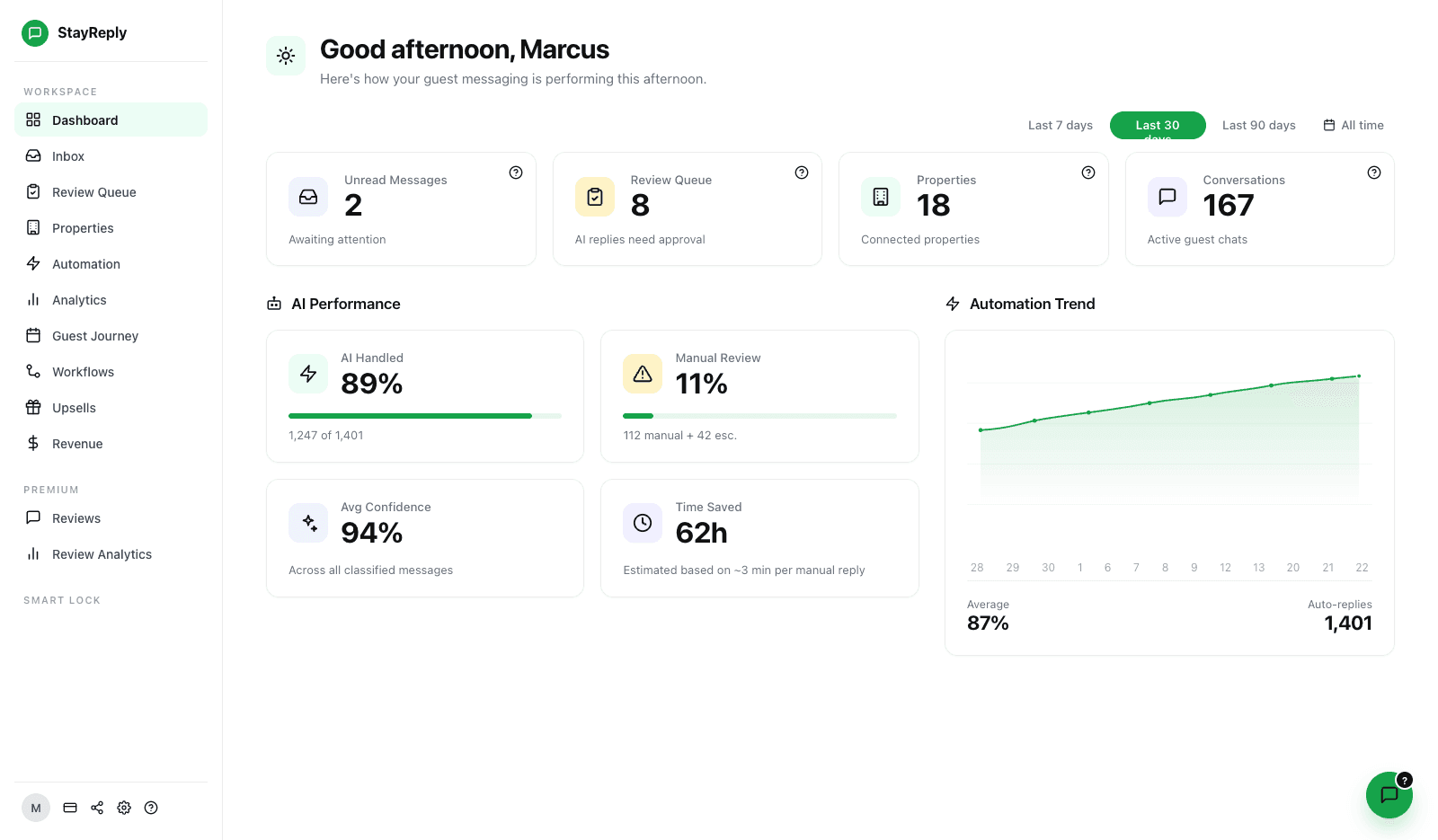
StayReply's Auto-Reply Engine sends real replies in your tone, around the clock, without you reviewing every one. Trained on your past messages. Grounded in your real PMS data.
Trained On Your Voice
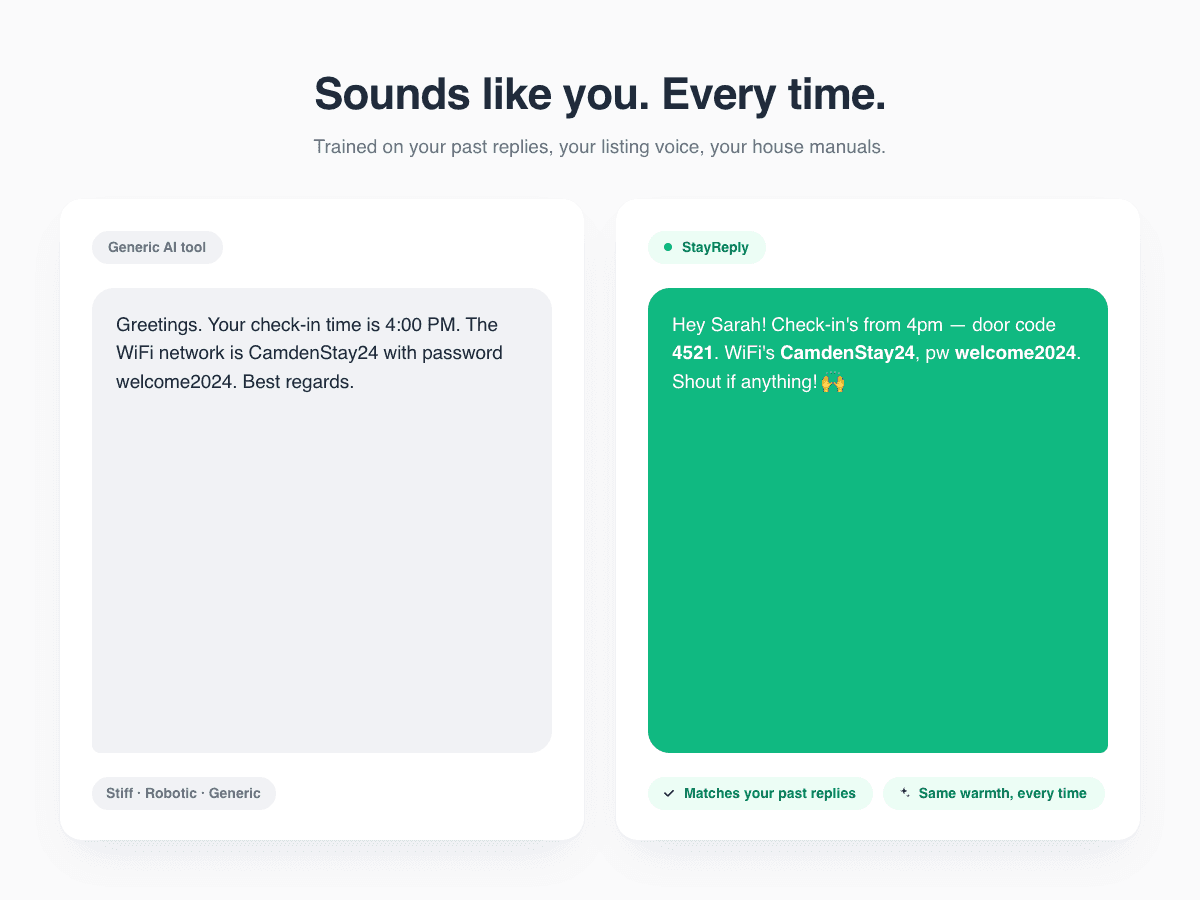
StayReply auto-extracts your tone from past guest messages and listing copy. Replies sound like you, not a generic AI assistant — across every property, in every language.
Auto-Sends, Doesn't Draft
Most "AI guest messaging" tools draft replies for you to approve. That defeats the point. StayReply auto-sends in your voice at sub-2-second average response time.
Confidence-Scored Every Time
Every reply gets a 0-100% confidence score before sending. You set the threshold. Below it, messages escalate to you instead of auto-replying.
Connects natively to the PMS systems your business already uses.










How It Works
Replies that sound like you — at sub-2-second response time.
Three layers working together: voice training from your past messages, auto-send workflow without manual approval, and confidence scoring that protects you from wrong replies.
Voice Training
Trained on your past messages, not generic templates.
Every "AI guest messaging" tool claims it sounds like you. Most don't — they pull from generic templates that sound like hotel chatbots. StayReply learns your actual voice from the thousands of guest messages you've already sent through your PMS. Your greetings. Your phrases. Your sign-offs. The way you handle complaints differently from compliments. The result is replies that sound like you wrote them yourself — because they're built from the way you write.
Auto-Extracted From Past Messages
StayReply pulls thousands of your past guest replies from your PMS and analyses how you communicate — tone, phrasing, length, sign-offs.
Voice Settings You Control
Review the auto-extracted voice profile anytime. Edit your tone, formality, message length. Changes apply to all future replies instantly.
Across Every Property
Each property can have its own voice variant — warmer for short stays, more formal for corporate housing. Same engine, different registers.
Auto-Send Workflow
Sends in your voice. Doesn't just draft for you to approve.
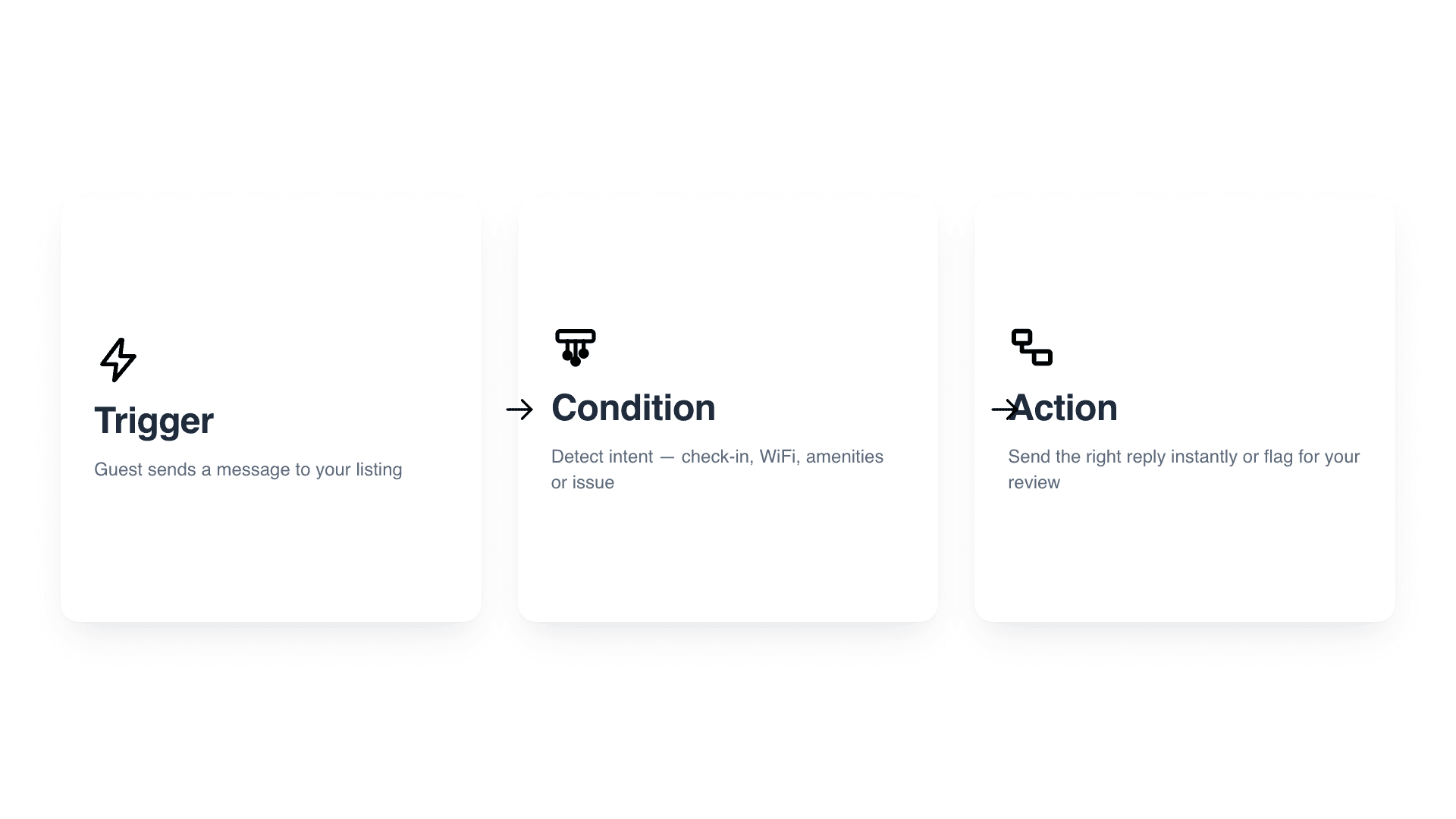
The whole point of automation is removing you from the routine. Tools that "draft" replies for you to review and approve still force you into the inbox at 2am. StayReply auto-sends replies that meet your confidence threshold — in your voice, in seconds, while you sleep. You set the rules. You review the audit log when you want. The routine 80% just gets handled.
Sub-2-second average response time from message arrival to reply delivery
No draft-and-approve loops — replies above threshold send automatically
You override or take over any conversation at any time, from any device
Confidence Scoring
Every reply scored before sending. You set what auto-sends.
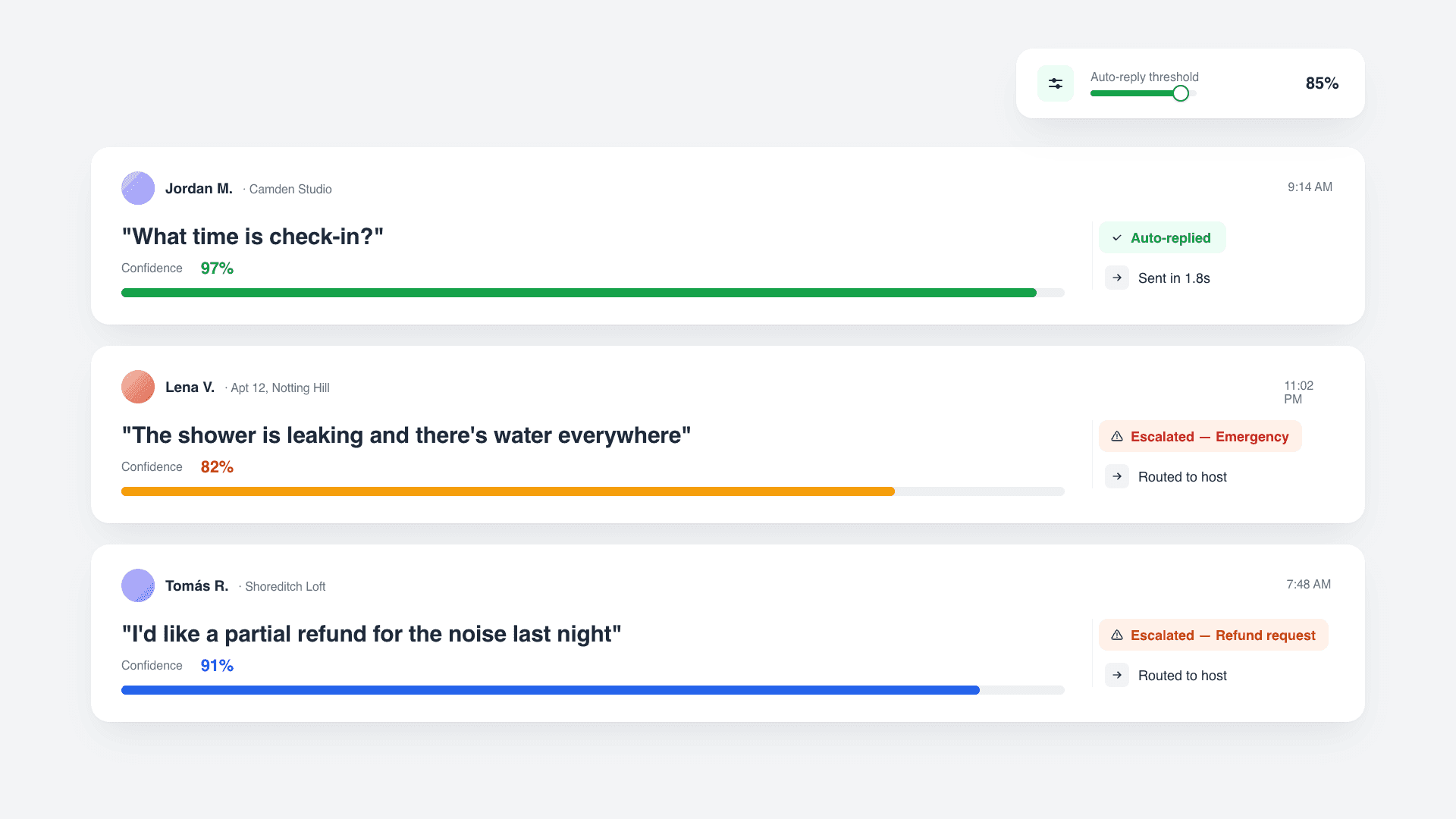
The reason most operators distrust AI guest messaging is straightforward: what if it sends something wrong? StayReply's confidence scoring fixes this. Every reply gets a 0-100% score before sending, based on knowledge base match, past reply similarity, and message clarity. You set the threshold for what auto-sends vs what escalates. Sensitive categories — refunds, complaints, emergencies — always escalate, regardless of score.
Confidence Threshold You Set
Default conservative at 85%. Adjust globally, per property, or per category. Live preview shows how many messages auto-reply vs escalate at your chosen threshold.
Sensitive Categories Always Escalate
Refunds, complaints, emergencies, property damage, safety concerns, and special requests always escalate. No matter the confidence score, no matter how routine the wording.
FAQ
Questions about how Auto-Reply works.
Learn more about how the engine works, what it sends, and how you stay in control.
How does StayReply learn my voice?
What happens if StayReply replies incorrectly?
How fast are the replies?
Can I see what StayReply is about to send before it sends?
Ready to stop being your own guest support line?
Start a free trial or talk to our team.