AI Message Classification
Every guest message classified, scored, and routed automatically.
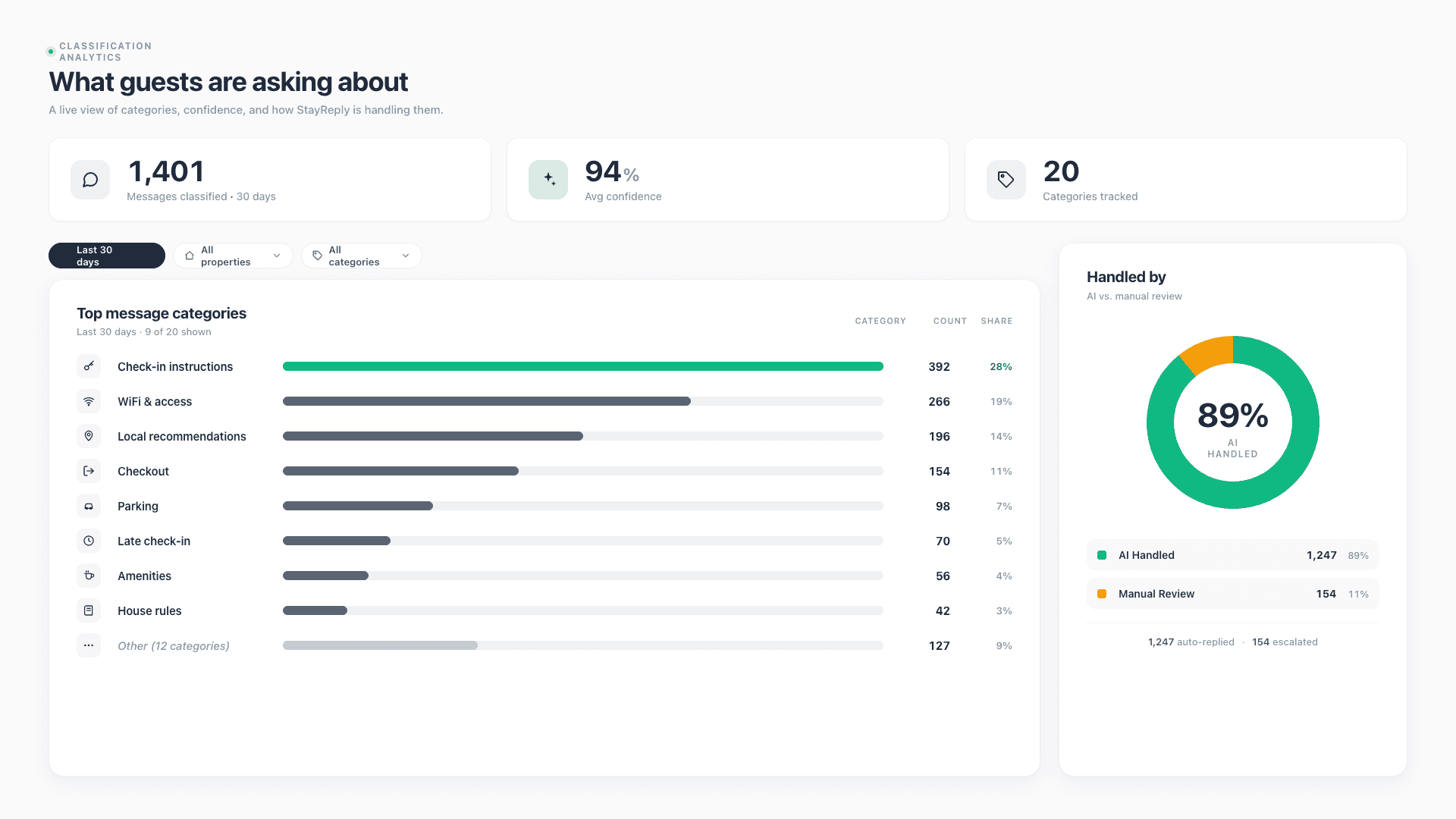
StayReply classifies every incoming message across 20 categories with a confidence score before any reply is sent. Routine messages auto-reply. Sensitive ones escalate. You stay in control of what auto-sends.
20-Category Classification
Every incoming message is sorted into one of 20 message categories — from WiFi requests to refund disputes — with explicit reasoning behind each classification.
Confidence Scoring On Every Reply
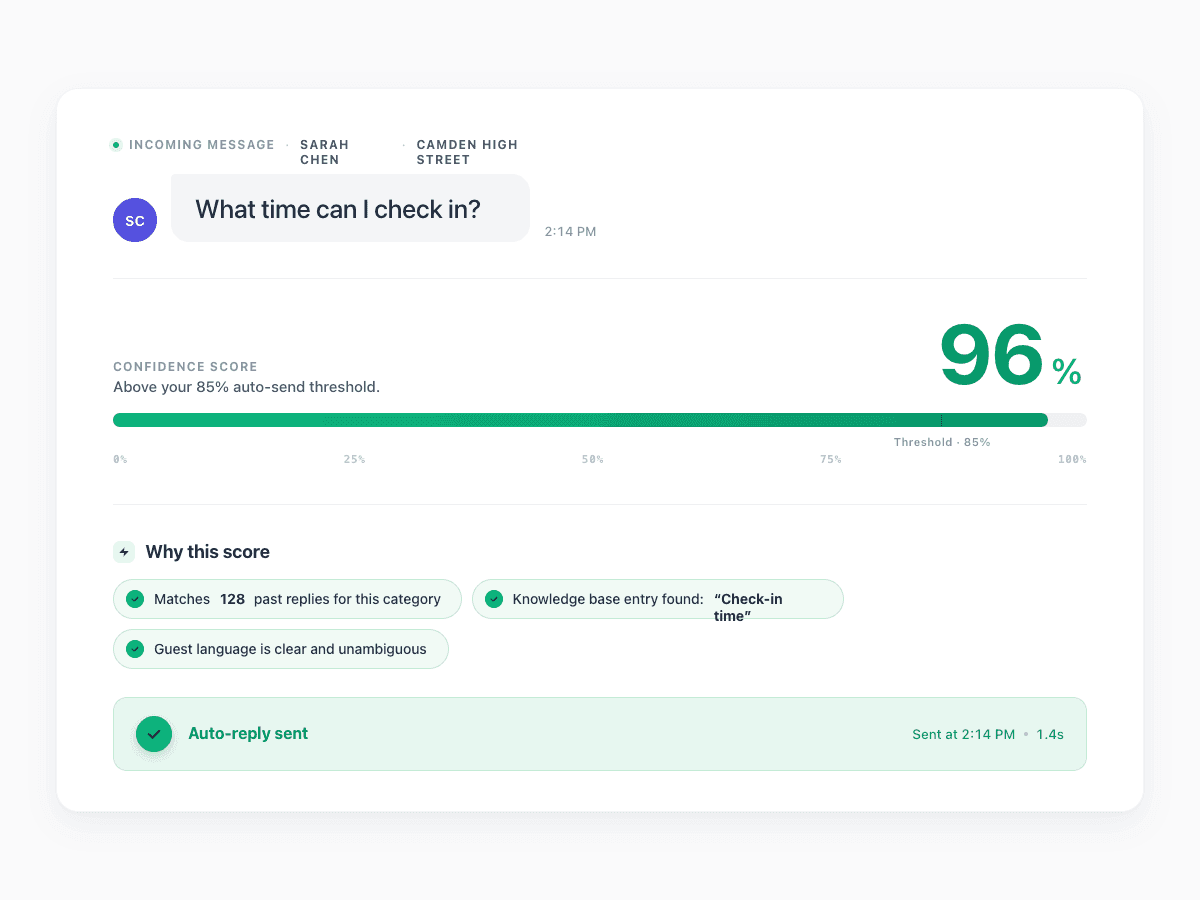
Each reply gets a 0-100% confidence score before sending, with reasons (knowledge base match, past reply similarity, message clarity) visible on demand.
Routing Rules You Control
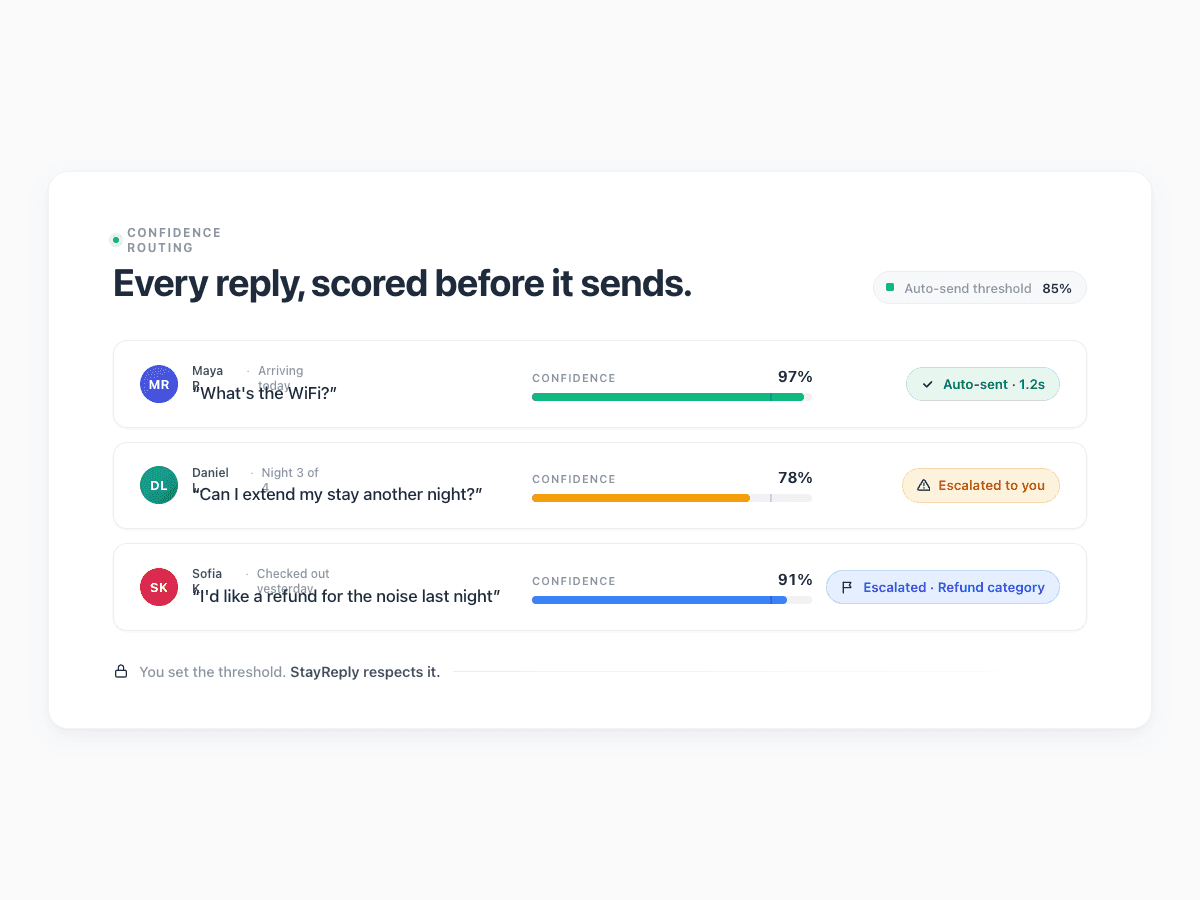
You decide what auto-sends, what escalates, and what gets flagged. Categories like refunds and complaints always escalate, regardless of score.
Connects natively to the PMS systems your business already uses.










The Engine Behind Every Decision
Smart routing, not blind automation.
Three layers working together: 20-category classification, confidence scoring with reasoning, and per-category routing rules that protect you from wrong replies.
20 Categories
Sorted into the right bucket before any reply is generated.
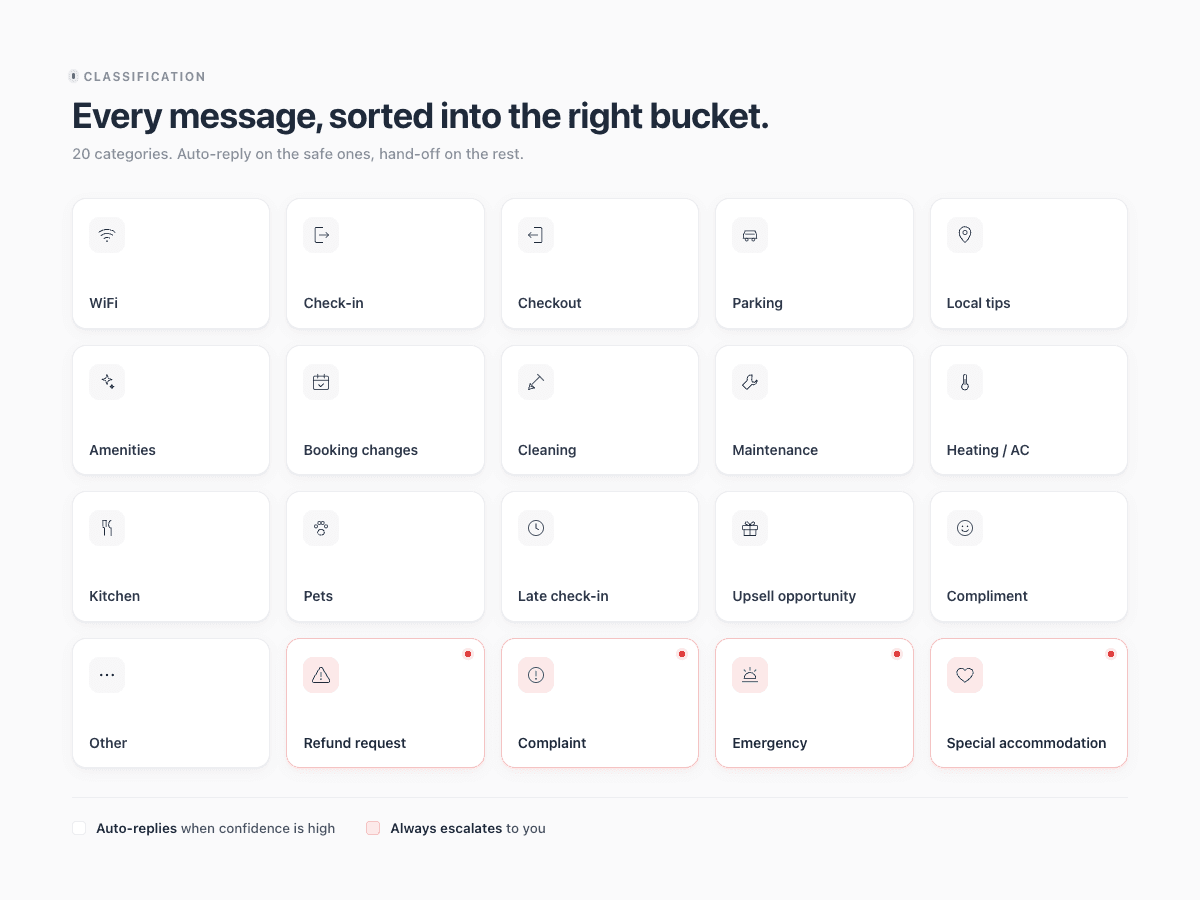
Every guest message is different. A WiFi question needs a different response than a refund request. An emergency lockout needs to bypass everything else. StayReply's classification engine sorts every incoming message into one of 20 specific categories — from routine to sensitive — before deciding what to do with it. Each category has its own rules. Some auto-reply at 80% confidence. Others always escalate. You're never surprised by what gets sent.
Routine Categories
WiFi, check-in, parking, house rules, local recommendations, amenities, checkout. 14 categories where auto-reply usually makes sense.
Sensitive Categories
Refunds, complaints, emergencies, property damage, safety concerns, special requests. 6 categories that always escalate, regardless of score.
Uncategorised Bucket
Messages that don't fit any defined category escalate to you. As you handle them manually, StayReply learns and starts classifying similar messages correctly.
Confidence Scoring
Every reply scored with reasoning, before sending.
Confidence isn't a black box. Every reply StayReply generates gets a 0-100% score based on three signals — how well the message matches your knowledge base, how similar it is to past replies you've sent, and how clear the guest's intent is. You can audit any decision the AI made, see why each score was assigned, and adjust your rules accordingly.
Three scoring inputs: knowledge base match, past reply similarity, message clarity
Reasoning visible on demand — every decision audit-trail-ready
94% average confidence across StayReply customers in production
Routing Rules
You set the rules. The system respects them.
Default rules cover the common cases — auto-reply routine messages above 85% confidence, escalate everything else. But your business isn't a default. You may want tighter rules on luxury properties, looser rules on simple ones, always-escalate for certain message types. StayReply gives you per-property, per-category, and global controls so the rules match how you actually run your portfolio.
Per-Category Rules
Configure each of the 20 categories independently. WiFi auto-replies at 80%. Refunds always escalate. Local recs auto-reply at 90%. Customise to match what you trust the AI with.
Per-Property Overrides
Different properties, different rules. Your high-end Soho loft might escalate more aggressively. Your simple Bayswater flat might auto-reply more. Each listing has its own configuration.
FAQ
Questions about classification and routing.
Learn how the engine sorts messages, scores replies, and decides what to send.
hat are the 20 message categories?
What happens if a message doesn't fit a category?
Can I create custom categories?
How accurate is the classification?
Ready to stop being your own guest support line?
Start a free trial or talk to our team.